
The Fastest Way to Transform Your Slides from Rough to Board-Ready
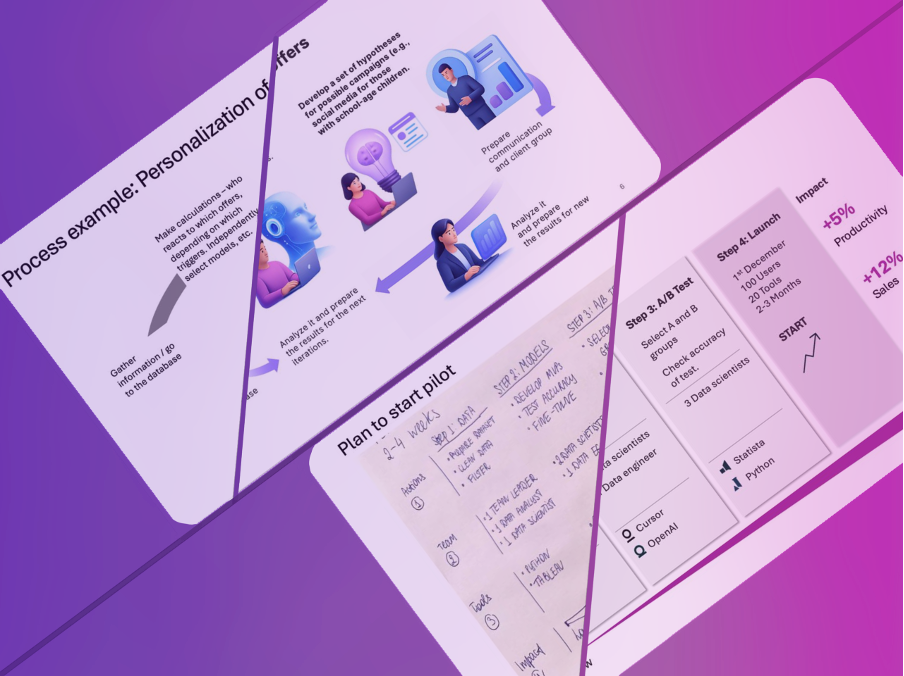
If you work in consulting, strategy, finance or any role where PowerPoint is a daily tool, you know how long it takes to turn a rough draft into a polished, client-ready slide. Aligning shapes, resizing elements, adjusting spacing, reworking color balance and refining icons becomes a silent but significant tax on your time. Oria's Enhance Design feature was created specifically to eliminate that tax.
How Enhance Design Works
Enhance Design is powered by Oria's patent-pending agentic AI, designed for the realities of business presentations rather than generic decks. Once activated, it begins by analyzing the slide's content — text, diagrams, frameworks, structure and visual groupings — and interprets the logical intent behind them.
It then identifies all of the typical issues that slow consultants down: inconsistencies in alignment, uneven spacing, unclear hierarchy, clutter and off-brand elements. Using a set of principles grounded in the design standards used by top consulting firms, Oria reconstructs the slide into a clean, structured and visually coherent format.
The output is a fully polished layout that normally requires 15 to 30 minutes of manual work. In essence, Enhance Design handles the design thinking so the consultant can focus on the message.
When Enhance Design Can Be Used
Enhance Design is built for the practical situations consultants face daily. It shines when rough drafts need to become client-ready quickly, such as after a late-night sprint or during a fast-paced project cycle.
It is equally valuable when several teammates contribute slides to the same deck, leading to inconsistent layout and formatting that slow down the final review. The feature works especially well with slides based on screenshots, photos of whiteboards or quick sketches — transforming loose visuals into structured frameworks.
For teams working under strict brand guidelines, Enhance Design respects those standards while optimizing the layout. It also supports iterative workflows: if an early design needs updating after feedback, Enhance Design can be reapplied to reflect the changes without starting from scratch.
Practical Use Cases
Consultants often receive rough frameworks from clients or internal teams that need to be integrated into a polished deck. Enhance Design can transform these inputs into cohesive, client-ready slides in moments.
Similarly, analysts working with data visualizations frequently create functional but unpolished charts. Enhance Design reformats these into visually balanced, professional layouts that align with consulting standards.
For presentations that need to be repurposed across multiple formats—such as turning internal analysis into an external pitch deck—Enhance Design ensures consistency in layout and style across all versions.
Teams working across time zones also benefit: one person can draft the content, and another can apply Enhance Design before the final review, ensuring every slide meets the same high standard without requiring back-and- forth edits.
Integration with Other Oria Features
Enhance Design works seamlessly with Oria's other AI-powered features. If a consultant starts with a rough idea and uses Oria's content generation to draft the initial structure, Enhance Design can then be applied to polish the output.
Similarly, if a slide already has strong content but weak visuals, Enhance Design can optimize the layout while maintaining the original message. The feature can also be combined with Oria's smart formatting tools, which handle things like consistent font sizes and color application, creating a fully automated workflow from concept to polished slide.
This integration means that consultants can work at the level of ideas rather than execution, letting Oria handle the time-consuming details.
Why Enhance Design Matters
The consulting workflow is full of bottlenecks, and slide formatting is one of the most persistent. Enhance Design removes this bottleneck, allowing teams to move faster without sacrificing quality. It reduces the time spent on repetitive manual work, freeing consultants to focus on analysis, strategy and client engagement.
Beyond speed, Enhance Design improves consistency. When every slide in a deck follows the same design principles, the overall presentation feels more cohesive and professional. This is especially important in high-stakes environments where visual polish is expected.
For firms that rely on junior team members to handle formatting, Enhance Design can significantly reduce the training burden and ensure that even less experienced consultants produce slides that meet senior-level standards.
Getting Started with Enhance Design
Enhance Design is available as part of Oria's platform, accessible directly within PowerPoint. Consultants can apply it to individual slides or entire decks with a single click. The feature learns from the user's design preferences over time, becoming more aligned with the specific needs of each team or firm.
For teams interested in trying Enhance Design, Oria offers a pilot program that includes onboarding, training and support. This allows firms to test the feature in real-world scenarios before committing to broader adoption.