How Prompts Work in Oria and Why They Make a Difference
Prompts are not required to get a good result in Oria, but they are the most reliable way to get a result that feels exactly right for your slide. They reduce the amount of interpretation Oria has to do, and interpretation is where small mismatches usually appear.
What Is a Prompt in Oria?
A prompt is a short description of what you want the slide to become, written in natural language. It can be as light as naming the layout and the visual style, and that alone often changes the result. When you add more detail, you are essentially briefing Oria the same way you would brief a teammate: what to preserve, what to emphasize, what kind of visuals to use and what the slide should feel like.
Why Specific Prompts Work Best
The most effective prompts include a few specific choices at once, because slide quality is rarely about a single tweak. For example, you can say that the slide should be a route map with two main paths, that each node should have flat icons, that the background should stay light and minimal, and that the final outcome should be highlighted. When you give that kind of direction, you tend to get a slide that looks like you asked for it, not just a slide that looks good in general.
Seeing It in Action
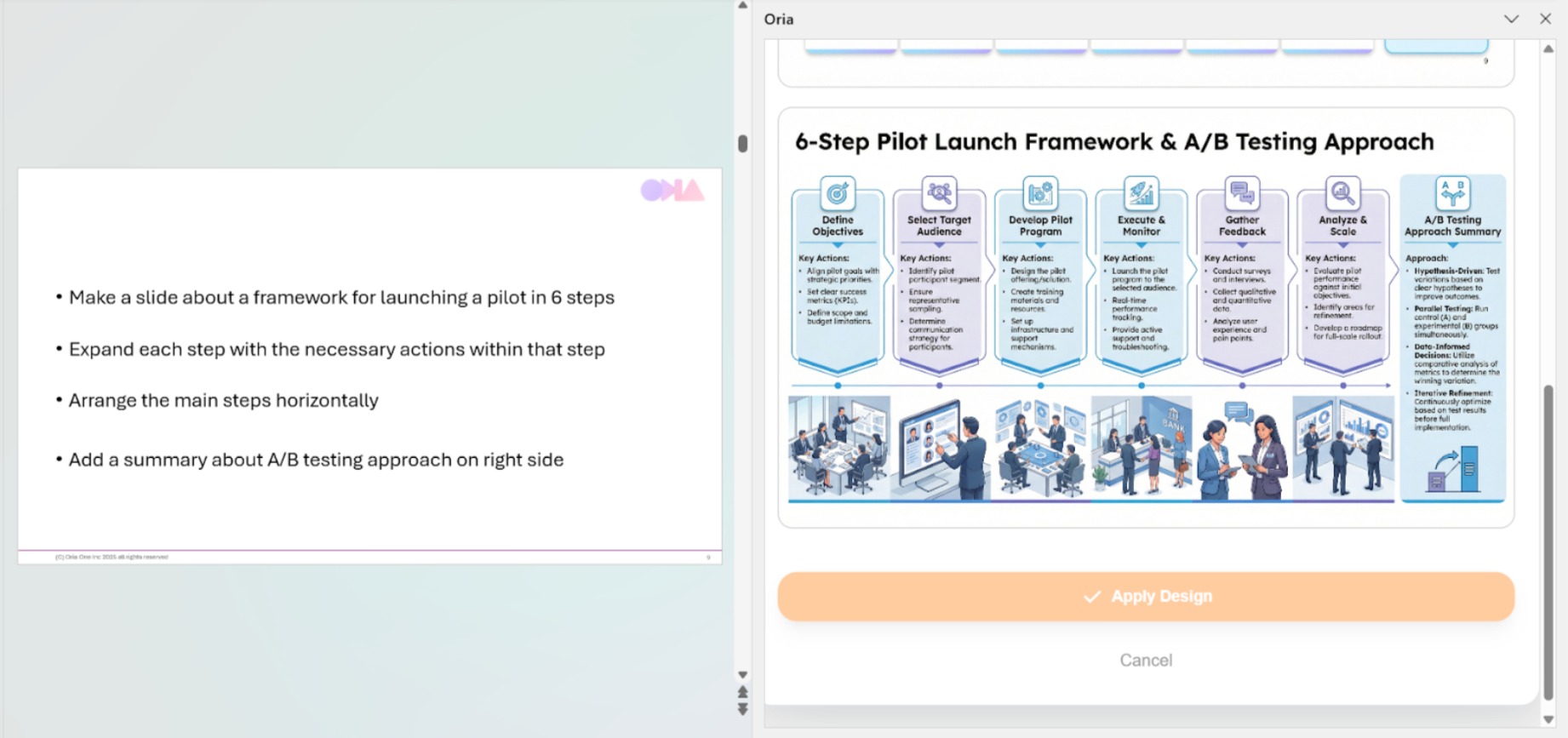
Let's try it out right now. We take a slide with simple content descriptions on it. We want the slide illustrated, so we choose Text to Slide and add a prompt like "Add a detailed horizontal visual at each step – 3D employees working in a bank. Also, add consistent professional icons, keep a light blue and purple color palette." Here is what we get:
Prompts Save Iteration Time
Prompts also reduce iteration time. Instead of generating a slide and then spending time nudging it into your preferred layout, you start closer to the target and refine from there. This is especially noticeable when you are working in a team or updating a deck under time pressure, because "good enough" is rarely the goal and consistency matters.
How to Get Started
If you are not sure where to begin, start small. Name the layout you want, name the icon style and name what should be emphasized, and let Oria do the rest. You will still get a strong slide without prompts, but with a prompt you usually get the slide you intended on the first pass, with fewer adjustments and fewer compromises.