

14 Claude Skills for McKinsey-Style Slide Building
A downloadable pack of 14 Claude skills for McKinsey-style slides. Four domains take a recommendation from storyline to a partner-ready deck: structure, slide architecture, exhibits, and review.
Free skills and prompts for Claude and strategy work
Templates for Claude, ChatGPT and Perplexity — from diagnostics to board-ready decks.
What these Claude skills for McKinsey-style slides are
This is a pack of 14 Claude skills for McKinsey-style slides, the storyline discipline, slide architecture, exhibit craft, and partner-grade review that turn analysis into a board-ready deck. Each skill is a small, uploadable workflow that teaches Claude one slide-building task with a real, named method.
The skills are grouped into four domains that run in the order a real deck is built. You set the storyline with the Pyramid Principle and SCQA, architect each slide one message at a time, build the exhibits, then red-team the whole thing before it meets a partner. Built for consultants, bankers, and strategy and finance teams who want Claude to work like a senior associate, structured before analytical and executive-ready before verbose.
Mechanically, each skill is one folder with a SKILL.md file, grouped by domain inside the zip. Install just the ones you need, or load the full set. For the full workflow, see how to make McKinsey-style slides with Claude and the McKinsey presentation skill for Claude.
Download all 14 skills
One zip, one folder per skill. Free, no signup.
The 14 Skills You Get
The collection is grouped into four slide-building domains. They run in the order a real deck is built, storyline first, review last, but every skill is also useful on its own.
From storyline to partner-ready deck
Domain 1 · 4 skills
Storyline & Structure
Use these before a single slide is drawn. Set the governing thought, write the titles, storyboard the flow, and compress the whole argument onto one summary slide.
Pyramid Storyline
Use when: You have a recommendation but no spine for the deck
Output: SCQA, governing thought, MECE key line
Action Title Writer
Use when: Headlines are topic labels instead of the takeaway
Output: Full-sentence action titles, flip-tested
Ghost Deck Builder
Use when: You need sign-off on the flow before building
Output: Slide-by-slide storyboard with sketches
Executive Summary
Use when: The recommendation is buried deep in the deck
Output: One self-contained SCQA summary slide
Domain 2 · 4 skills
Slide Architecture
Use these on the individual slide. Enforce one message per slide, group the body MECE, pick the layout the idea wants, and make every bullet lead with its point.
One-Message Slide
Use when: A slide is trying to say three things at once
Output: Split slides, one message and exhibit each
MECE Body Builder
Use when: The body is an overlapping or incomplete list
Output: Mutually exclusive, exhaustive groups
Slide Layout Picker
Use when: You know the message but not the layout
Output: Matched layout: matrix, process, comparison
Lead-With-Message Bullets
Use when: Bullets bury the point and run too long
Output: Parallel, front-loaded, pruned bullets
Domain 3 · 3 skills
Exhibits & Data
Use these when the slide carries data. Choose the chart that fits the message, spec a bridge that reconciles, and place items on a 2x2 that drives a decision.
Chart Chooser
Use when: You have data but not the right chart for it
Output: Chart type and a clean encoding spec
Waterfall / Bridge Spec
Use when: A number moved and you must explain why
Output: Reconciling bridge with labelled drivers
Two-by-Two Matrix Builder
Use when: Options must be sorted into clear choices
Output: 2x2 with axes and a per-quadrant action
Domain 4 · 3 skills
Review & Polish
Use these before the deck meets a partner. Audit the titles for the flip test, strip the chartjunk, and red-team the argument the way a skeptical reviewer would.
Action Title Audit
Use when: You need the deck to pass the flip test
Output: Title-strip verdict and rewrites
Declutter and Data-Ink Review
Use when: Slides are correct but visually noisy
Output: Delete, simplify, and re-colour list
Partner-Ready Red-Team Review
Use when: A high-stakes deck cannot afford a surprise
Output: Ranked hostile questions and fixes
Domains 1 and 2 build the argument and the slides. Domain 3 makes the exhibits carry their claims. Domain 4 is the quality gate that decides whether the deck is ready for the room.
Setup Guide
Download the skills pack
The zip contains all 14 skills, one folder per skill. Each skill is a single SKILL.md file. Unzip it anywhere. Keep the whole set, or pull out just the folders you need.
Create a Claude Project
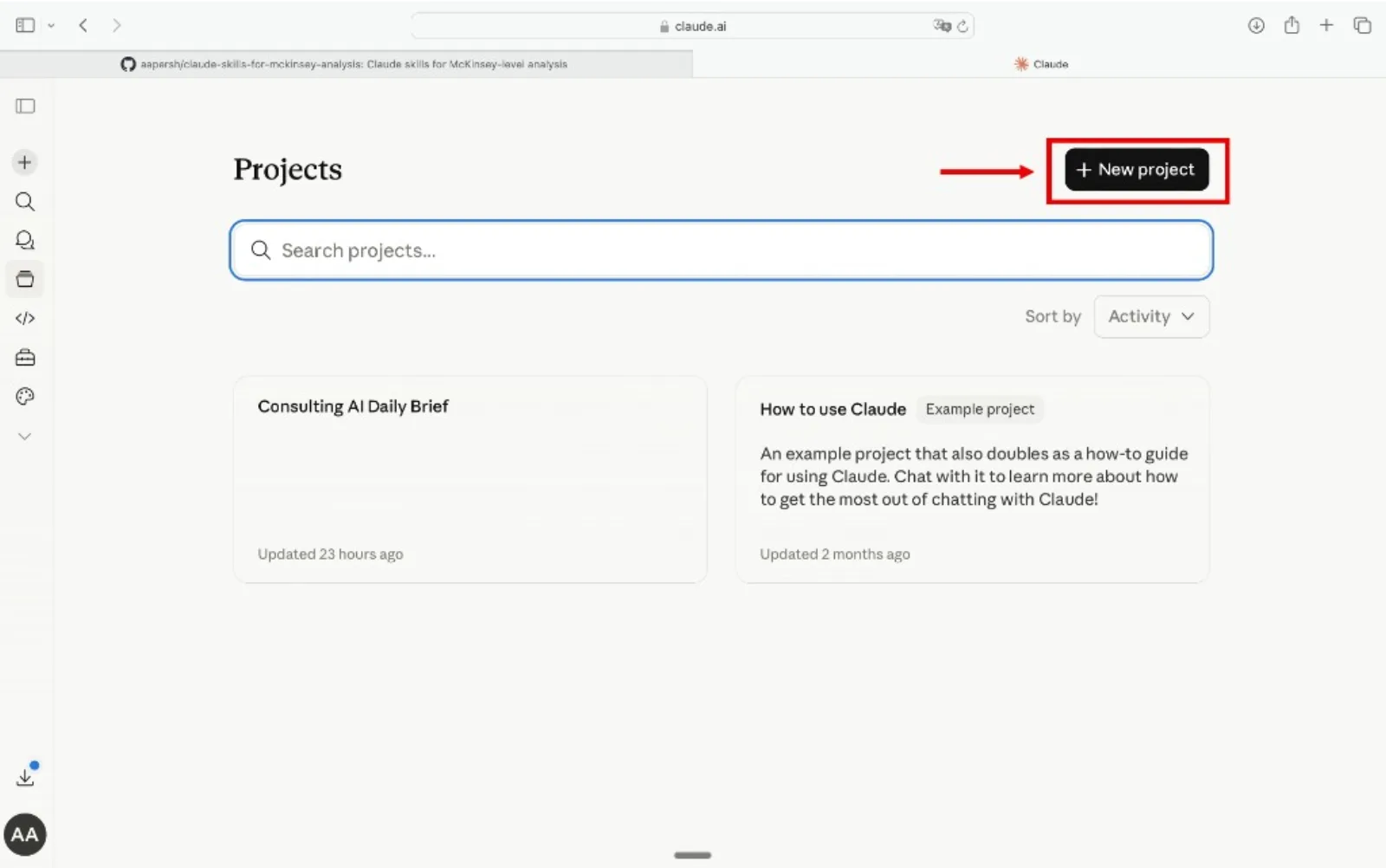
Go to claude.ai, open the left sidebar, click Projects, then Create Project. Name it something like "Slide Builder" or "Deck Co-pilot" so you can reuse it across decks.
Add the skills as Project Knowledge
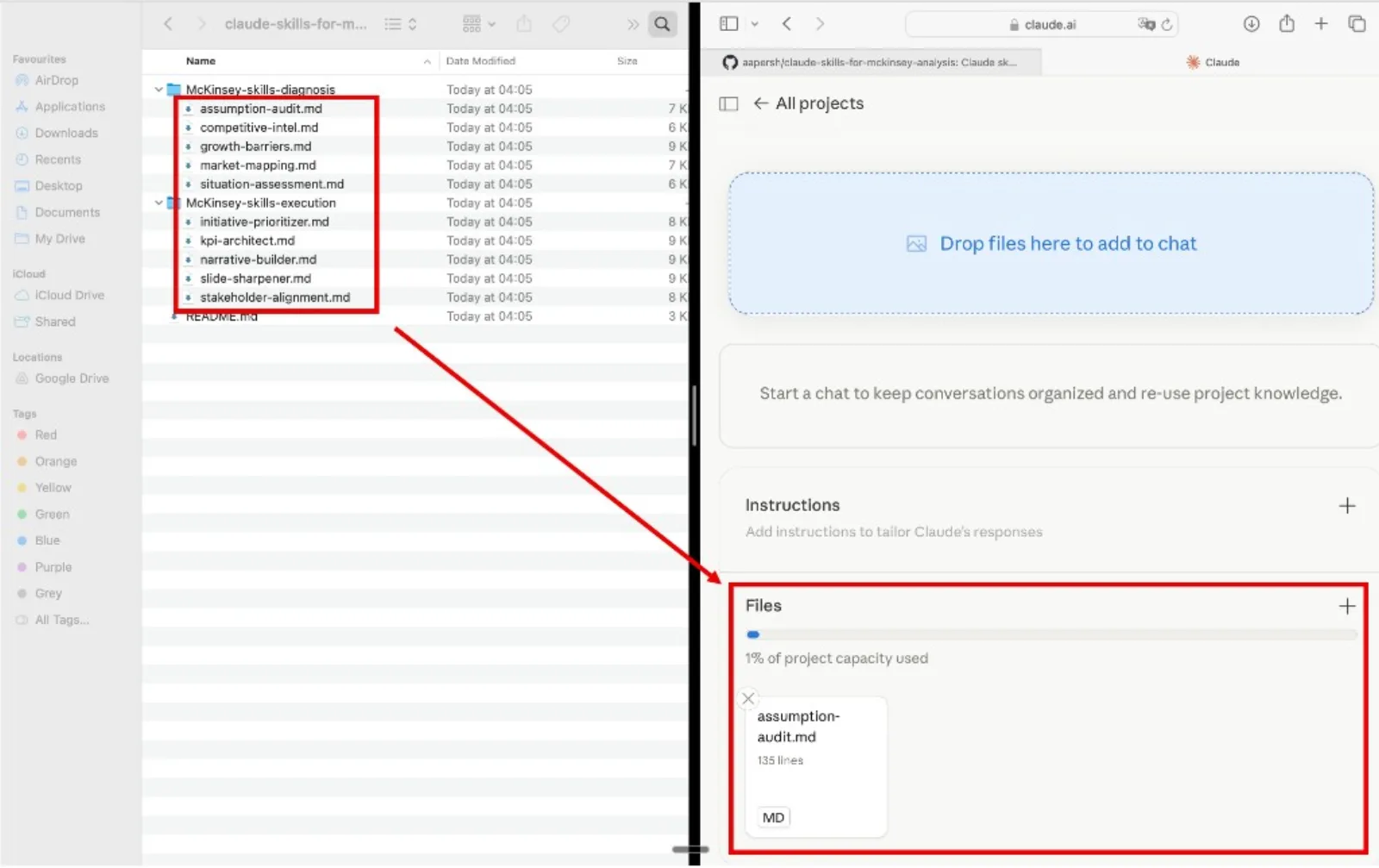
Inside your project, open Project Knowledge, click Add Content, and upload the .md files. Add as many as you want, one skill, an entire domain, or all 14. Claude will reference them automatically in every conversation inside that project.
Start building the deck
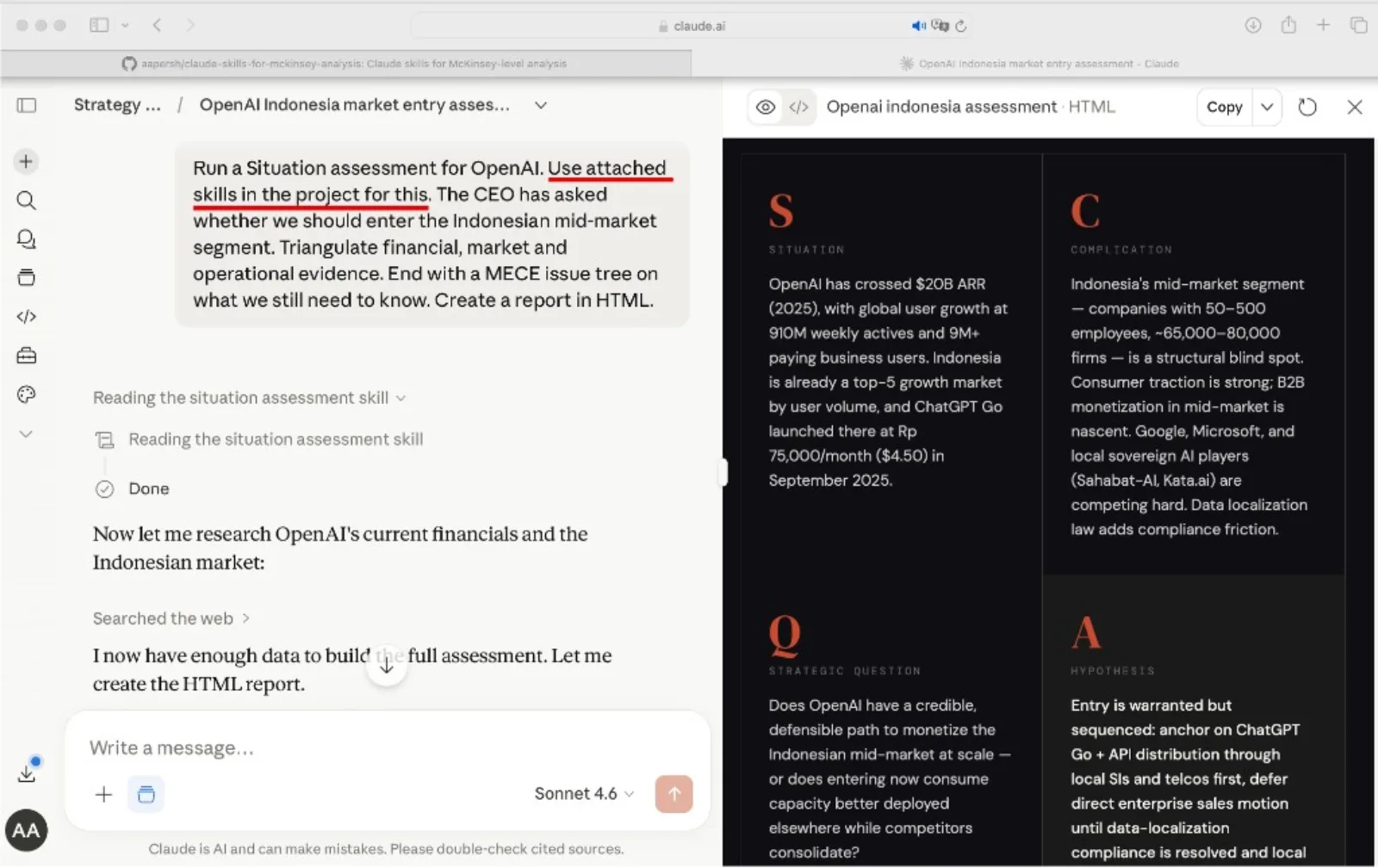
Open a new conversation inside the project, paste in your analysis, and name the skill you want Claude to run. Claude reads it from project knowledge and applies the framework with the method already loaded.
Tip
Refer to the skill by name in your prompt. Phrases like "Use the pyramid-storyline skill" or "Run the partner-ready-red-team-review skill" point Claude at the right method instead of leaving it to guess.
Example prompts
- "Use the pyramid-storyline skill to structure this recommendation into a governing thought and key line."
- "Use the action-title-writer skill to rewrite these headlines into action titles."
- "Use the waterfall-bridge-spec skill to explain why EBITDA fell from 100 to 90."
- "Use the partner-ready-red-team-review skill to find the questions this deck will face in the room."
How to choose a skill
Skip the directory hunt. Pick the row that matches your need and use that skill.
The quality bar
Every skill pushes Claude toward outputs that meet the same partner-grade bar, the standard a senior associate holds each slide to before it leaves the room.