

The Claude Strategy Engagement Pack: 10 Skills Across 5 Phases
Ten prompting steps, two per phase, mapped to the five stages of a real strategy engagement: Frame, Map, Choose, Execute, and Communicate. What each step produces, which Claude model earns its keep, and where the sequence hands off to an installable skill or a slide deck.
Why strategy teams need structured AI workflows
Most teams interact with Claude one prompt at a time: paste a question, read the answer, refine by feel. That works for an isolated task, a summary or a first draft of a section. It breaks down at the engagement level, where the finished recommendation is only as good as the framing that came before it, and ad hoc prompting does not enforce framing, decomposition, or explicit decision criteria. A named sequence does.
That is what a Claude Skill is built to do, and the format has moved fast: Anthropic's own public Agent Skills repository has passed 177,000 stars on GitHub, and Skills are now available on every Claude plan, Free through Enterprise, once code execution is turned on in Settings. This page is not one of those installable files. It is the editorial map of a full engagement instead: ten prompting steps in sequence, useful on their own and useful as the shape to check an installed skill pack against.
Quick answer
The question is not whether Claude can help run a strategy engagement. It can. The question is whether it gets one scoped step at a time or the whole vague brief at once, and whether it is running on a model built for the reasoning being asked of it.
The Claude strategy engagement pack is a ten-step prompting sequence across five phases of a real engagement: Frame (decision framing, scope), Map (MECE issue tree, value driver analysis), Choose (option generation, option evaluation), Execute (initiative roadmap, first 90 days), and Communicate (storyline, executive summary). It is an editorial sequence to run as prompts inside Claude, not a downloadable skill file. Use Claude Opus 5 for most of it and move to Claude Fable 5.1 for the Choose and Communicate phases, where the reasoning is contested or the output has to survive a senior audience. For an installable file instead, the site's five-skill sequence or its fifty-skill library are the better fit.
How we structured this pack
- We mapped the pack to the five phases of a real engagement, Frame, Map, Choose, Execute, Communicate, and split it two skills per phase. Ten is not a marketing number; it is what two skills per phase multiplies out to.
- We wrote every step to run as a standalone prompt inside the Claude app already open, not as a file to install. A step that needed a connector, an API key, or a build step did not make the cut.
- We tested each step against the material a real engagement actually produces: a rough sponsor brief, a folder of competitor pages, a half-built options list, not a clean synthetic example.
- We wrote down where each phase runs out of judgment and needs a human call. A step that hides its own limits is worse than one that states them, so every phase below closes with the case it does not handle.
- We did not try to out-download this site's own installable skill files. If an actual SKILL.md file to upload is what is needed, later sections say so and point to the pack that ships one.
The timing matters, and practitioners already report a real effect from this kind of restructuring. Yusuke Kaji, General Manager of AI at Rakuten, described a related workflow rebuilt around skills in Anthropic's own announcement of the format: "What once took a day, we can now accomplish in an hour." Source Global Research's report on the UK consulting market found a similar shift in appetite: buyers describing themselves as cautious about deploying generative AI fell from 50% in 2025 to 23% in 2026, while those who had deployed it or were eager to rose from 15% to over 40% in a single year.
Key takeaways
- Pick by phase, not by skill count. Ten skills sit inside five phases, and most engagements only need two or three of them running at once, not the full sequence end to end.
- Each phase produces one specific artifact, not a vague draft: Frame gives a decision brief, Map gives a prioritized issue tree, Choose gives scored options, Execute gives a roadmap, Communicate gives a storyline and a summary.
- Every phase needs real material brought to it. None of the ten skills invents a fact base, and the weakest outputs come from prompts with no brief, no evidence, and no named decision-maker behind them.
- Model choice changes the reasoning quality more than the prompt wording does. Anthropic's own guidance starts most work on Claude Opus 5 and moves the contested phases, Choose and Communicate, up to Claude Fable 5.1.
- Know where each phase runs out of judgment before a client sees the output. Frame does not test sponsor buy-in, Map mirrors thin input, and Communicate writes the argument, never the slide.
Compare the five phases
Five columns, matching the five rules above: which phase, what it produces, what to bring, which model earns its keep, and where it runs out of judgment. Read the last two columns first.
1. Frame
2. Map
3. Choose
4. Execute
5. Communicate
The two skills inside each phase are listed in full below. For a single installable file covering the same five-phase shape today, the site's five-skill sequence packages one skill per phase into a downloadable zip. This page runs the same shape at twice the granularity, as a prompting sequence rather than a file.
All 10 skills, by phase
A compact reference before the full walk-through: what each of the ten steps does, in order.
Phase 1: Frame
Decision Framing
Restates the sponsor's question as the one decision the engagement must resolve, separating the presenting symptom from the real problem underneath it.
Scope Definition
Locks the analytical boundaries up front: time horizon, geographies, functions in scope, and which assumptions stay fixed versus open.
Phase 2: Map
MECE Issue Tree
Decomposes the decision question into branches that do not overlap and do not leave anything out, prioritized by likely impact.
Value Driver Analysis
Ranks the issue tree's branches by where the value actually sits, producing a research agenda before analysis begins.
Phase 3: Choose
Option Generation
Builds a genuinely distinct set of strategic options against the decision criteria, rather than three variations on one idea.
Option Evaluation
Scores each option on economic impact, implementation risk, and strategic fit, then stress-tests the leading option under adverse assumptions.
Phase 4: Execute
Initiative Roadmap
Turns the chosen option into named initiatives with owners, dependencies, and a phased timeline across three time horizons.
First 90 Days
Defines the concrete milestones that must hold in the first 90 days, split from the slower lagging indicators.
Phase 5: Communicate
Storyline Builder
Structures the recommendation as a Pyramid Principle argument: situation, complication, key question, answer.
Executive Summary
Drafts the single page a C-suite audience reads before the full deck: answer first, built to survive being read alone.
Each phase, in detail
Phase 1
Frame: Who Is It Built For?
Built for the point before any analysis has started, when a sponsor's opening question is still shaped like a symptom rather than a decision, and a team is about to spend a week on the wrong thing because nobody stopped to restate it.
Decision Framing takes the sponsor's question and restates it as the one decision the engagement has to resolve by the deadline: the difference between "our margins are shrinking" and the actual choice a leadership team is being asked to make. Scope Definition then locks the boundaries around it, which time horizon, which business units, which assumptions are fixed and which stay open.
Run together, the two skills turn a half-page kickoff note into a brief a team can actually work from. A rough two-paragraph email from a sponsor is enough input, and a good run asks back for what is missing rather than guessing at it silently, which is the behavior worth checking for before trusting the output.
The trade-off: Frame does not test whether the sponsor actually agrees with the restated question. That still needs a short conversation before a team commits two weeks to it.
Phase 2
Map: Who Is It Built For?
Built for the team that has a decision question locked and needs to know where inside it the value or the risk actually sits, before analyst time gets spent building a model on the wrong branch.
MECE Issue Tree decomposes the decision question into branches that do not overlap and do not leave anything out, each checked against the others rather than accepted as the first decomposition produced. Value Driver Analysis then ranks those branches by expected impact, so the research agenda is prioritized before the first spreadsheet gets built.
A useful run names its decomposition logic explicitly, by driver, by segment, by geography, rather than presenting branches that merely look complete. Feed it what is already known, even roughly: a sense of the cost base, the market, the competitive set.
The trade-off: The tree mirrors the quality of what it was given. Handed three bullet points, it returns a confident-looking tree built on assumptions, not a diagnosis.
Phase 3
Choose: Who Is It Built For?
Built for the point where the fact base exists and a team has to move from options sketched on a whiteboard to one recommended path, with a scoring method that survives being challenged in the room.
Option Generation forces genuinely distinct options apart, so build, partner, acquire and do nothing read as different bets instead of three sizes of the same idea. Option Evaluation then scores each against fixed criteria, economic impact, implementation risk, strategic fit, before naming the sensitivities that could flip the recommendation.
Fix the scoring criteria before generating the options, not after, or the grid will quietly score toward whichever option the team already favored. This is the phase where a contested or board-level call earns the heavier model: Anthropic's own guidance is that most workloads start on Claude Opus 5, and move up to Claude Fable 5.1 when the reasoning has to hold up under real scrutiny.
The trade-off: The scores are only as sound as the evidence handed to them. This is a structured way to compare options, not an independent check on whether the underlying numbers are right.
Phase 4
Execute: Who Is It Built For?
Built for the team that has a chosen option and now has to write the section that turns it into owners, dates, and a way to tell a phase that finished from a phase that simply ran out of time.
Initiative Roadmap converts the choice into named initiatives with dependencies across three time horizons. First 90 Days pulls out the handful of milestones that have to be true almost immediately for the strategy to be credibly on track, split from the slower lagging measures that take a quarter or more to move.
Bring the real org chart and the real capacity picture, not the org chart on paper. A roadmap built on the organization as described, rather than the organization as it actually runs, gets overtaken in its first week.
The trade-off: It plans the organization described to it, not the political one actually being worked in. No skill resolves a turf dispute between two function heads.
Phase 5
Communicate: Who Is It Built For?
Built for the last mile of an engagement, when the analysis is finished and it has to become an argument a senior stakeholder can follow without reading every supporting page behind it.
Storyline Builder structures the recommendation as a Pyramid Principle argument, situation, complication, key question, answer, so the logic reads in the order a skeptical reader checks it. Executive Summary then drafts the single page that has to survive being read on its own: answer first, no narrative warm-up.
The output at this stage is text and structure, not a slide. Anthropic's own announcement of the Skills format quoted Yashodha Bhavnani, Head of AI at Box, on a related use case: skills let users "transform stored files into PowerPoint presentations, Excel spreadsheets, and Word documents that follow their organization's standards, saving hours of effort." That packaging step, a finished argument becoming a document that matches a house format, is exactly where this phase hands off to a slide tool.
The trade-off: It writes the argument, not the deck. A board-ready storyline still needs a design pass before anyone presents it.
Oria: Who Is It Built For?
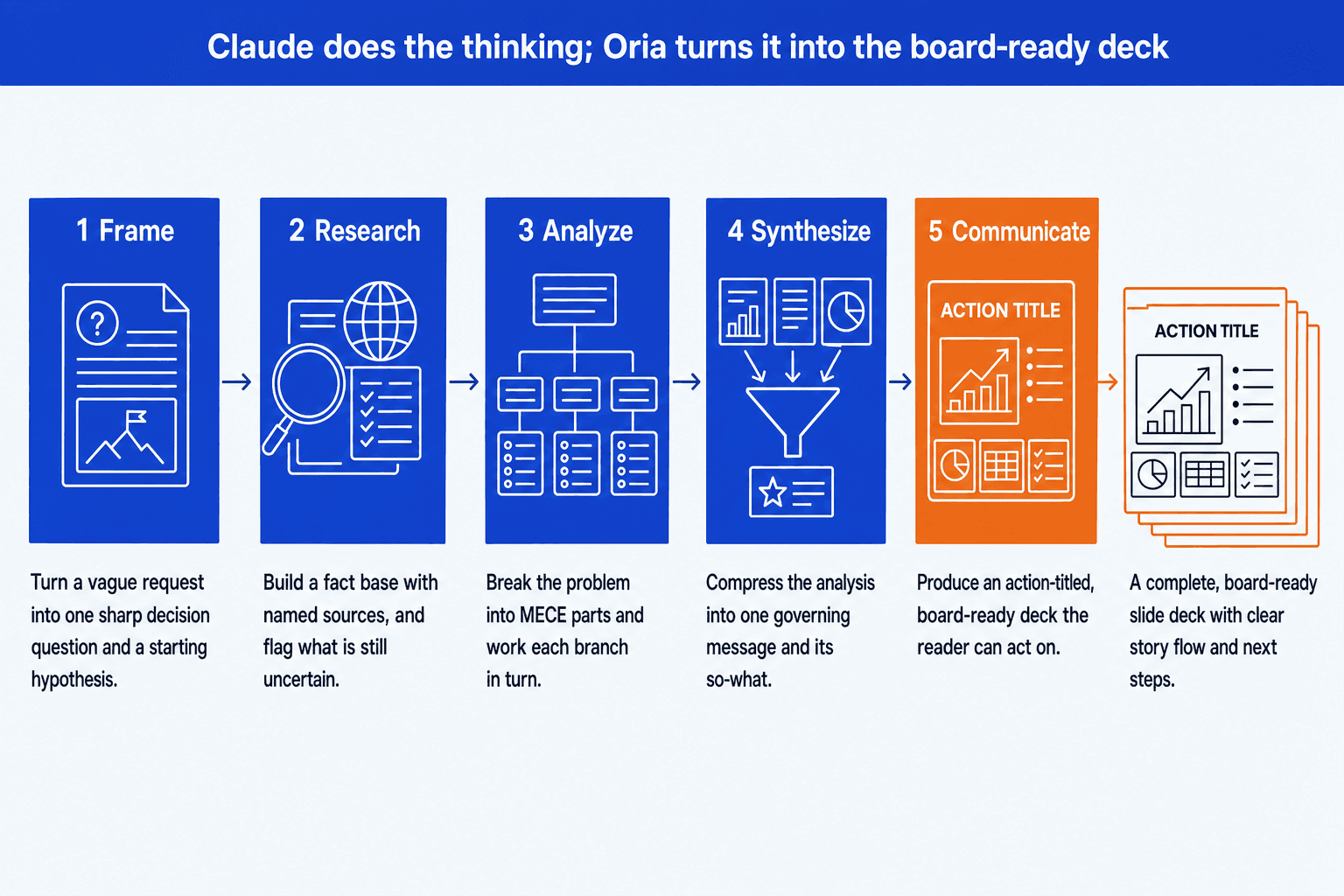
None of the ten skills above produces a slide, and for a lot of engagements that is the step that actually costs the weekend. Oria is the tool we build, and it exists for one narrow job: corporate documents and consulting presentations. Board packs, steering committee decks, diligence exhibits, operating-model slides, dense frameworks held to an enforced corporate template. That is the whole design, and it is aimed squarely at the output a tier-one strategy firm produces.
It reaches you two ways. As a PowerPoint add-in, running in the task pane on Windows, macOS, and PowerPoint for the web. And as a connector for Claude and ChatGPT over MCP, so a slide can be built from the chat already open, without opening PowerPoint at all. That second route is the one that pairs with the sequence on this page: run the Communicate phase, then ask for the executive summary as a slide in the same conversation. On security, Oria does not train on customer content, Professional and Team do not persist presentation content after delivery, and Enterprise adds private cloud deployment and custom LLM integration.
The trade-off: Oria is built for the corporate environment only, so it loses on highly visual work. Founder fundraising and pitch decks, launch and campaign decks, student presentations, marketing one-pagers: where the job is visual impact rather than defensible content held to a template, a design-led tool like Gamma, Canva, Pitch, or Beautiful.ai will beat it, and will look better doing it. If that is the deck, go there instead.
If this is not your pack, go here
This is a narrow, editorial pack: ten steps, one engagement shape, no download behind it. Most readers who want something else want one of the pages below.
Frequently asked questions
What makes the engagement pack different from a single Claude skill?
A single skill covers one analytical move, such as building an issue tree or structuring a storyline. This pack covers the full lifecycle in sequence: Frame, Map, Choose, Execute, and Communicate, two skills per phase. Each phase hands its output to the next, so the brief from Frame becomes the input to Map, and the chosen option from Choose becomes the input to Execute. It is designed for a full engagement, not a single task.
Do I need to run all 10 skills, or can I use just one phase?
No. Each phase works on its own. Frame and Map are useful even if the rest of the engagement stays manual, and Communicate works alone for structuring a storyline once analysis is already finished. Use the full five-phase sequence on larger or more complex strategy work, where structural rigor across the whole engagement matters most, and drop in a single phase for smaller, tactical requests.
Is this a downloadable Claude Skill I can install?
No, and it is worth being direct about that. This page is an editorial map of ten prompting steps, not a SKILL.md file to upload. Use each phase as a structured brief in Claude: name the phase, provide the engagement context and evidence, specify the output, and review before moving on. For an actual installable file, the site's five-skill sequence packages the same five-phase shape as a downloadable pack; Claude Skills are available on every plan from Free through Enterprise once code execution is turned on.
What does Claude produce at the end of the sequence?
A complete analytical output: a scoped decision brief, a prioritized issue tree, evaluated strategic options with risk and economic scores, a phased roadmap with a first-90-days plan, and a Pyramid Principle storyline with an executive summary. The slide deck is a separate step. Oria converts that structured output into fully editable, board-ready PowerPoint slides inside a corporate template.
Can I adapt the ten steps to my own sector or engagement?
Yes. Adapt the inputs, decision criteria, and constraints to the sector, client context, and available evidence. Keep the five-phase order intact, Frame before Map, Choose before Execute, Execute before Communicate, but change what goes into each phase freely. This page does not provide downloadable skill files to edit.
Which Claude model should run this pack?
Claude Opus 5 for most of it, which is Anthropic's own default starting point for demanding work. Move up to Claude Fable 5.1 for the Choose and Communicate phases specifically, where the reasoning is contested or the output has to survive a senior audience. Claude Fable 5.1, Opus 5 and Sonnet 5 all run on a 1M-token context window; Claude Haiku 4.5 sits at 200K, which is thin for a document room.
How is this different from the other Claude strategy skill packs on this site?
This page is the only one on this site organized as a five-phase sequence at two skills per phase, and it is an editorial guide, not a download. For a single installable file, the site's five-skill sequence covers one skill per phase in a downloadable zip. For breadth across a whole strategy practice, a fifty-skill library is the larger option. For rolling skills out across a firm, a separate page covers deployment and governance; for writing an original skill from scratch, another covers that process directly.