

25 Claude Skills for Excel: Strategy and Banking Models
Claude skills for Excel that build the model for you. 25 standalone skills that turn Claude into a modeler for strategy, investment banking, and private equity, each one producing a real, downloadable spreadsheet.
These skills build Excel files for you. They are not an Excel add-in.
Add these through Claude's Skills settings, ask for a model, and Claude builds a downloadable .xlsx with live formulas, multiple tabs, and built-in checks, directly in the Claude app. You do not need the Claude for Excel add-in, any plugin, or a Microsoft 365 connection. These create a brand-new spreadsheet from scratch.
What this is
25 standalone Claude skills that build Excel models for you. Each skill teaches Claude how to construct one strategy or finance model as a real, downloadable .xlsx file, with the tabs, line items, live formulas, and checks a professional model needs.
They cover the models strategy, investment-banking, and private-equity professionals build most: DCF, LBO, the three-statement model, trading comps and precedent transactions, the PE returns waterfall, market sizing, unit economics, and the sensitivity, scenario, and Monte Carlo tools that pressure-test them. Claude writes live formulas instead of hardcoded numbers, recalculates the workbook, and verifies there are no formula errors before handing you the file.
Mechanically, each skill is one folder with a SKILL.md file. Install just the ones you need, or load the full set. Want the slide-ready and strategy side too? See our Claude skills for investment banking and the consultant's guide to Claude.
Download all 25 skills
One zip, one folder per skill. Free, no signup.
The 25 Excel skills you get
The collection is grouped into five consulting domains. They run in the order a real engagement does, diagnose first, communicate last, but every skill is also useful on its own.
The Excel modeling skill set
Domain 1 · 6 skills
Valuation Models
Use these when you need a number you can defend: intrinsic value, a market read from peers, or a deal-comparable range. Each builds a clean valuation workbook with live formulas and a sensitivity view.
DCF Model
Use when: You need an intrinsic valuation in Excel
Output: DCF workbook: FCF, WACC, terminal value, sensitivity
Trading Comps
Use when: You need a market valuation from peers
Output: Comps workbook: EV build, multiples, implied range
Precedent Transactions
Use when: You need a valuation from past M&A deals
Output: Deals workbook: multiples, premiums, implied range
Dividend Discount Model
Use when: You are valuing a dividend payer or financial
Output: DDM workbook: staged dividends, cost of equity
Sum of the Parts
Use when: A multi-segment business needs segment valuation
Output: SOTP workbook: per-segment value bridged to equity
Football Field
Use when: You need a one-page valuation range summary
Output: Football-field workbook: floating-bar range chart
Domain 2 · 6 skills
Deal & Banking Models
Use these when a transaction needs a model: the integrated operating model underneath, the buyout math, the financing, and the credit picture.
Three-Statement Model
Use when: You need an integrated operating model
Output: 3-statement workbook: IS, BS, CF that balances
LBO Model
Use when: You are modeling a buyout and its returns
Output: LBO workbook: sources and uses, debt, IRR and MOIC
Debt Schedule
Use when: Debt paydown and interest need modeling
Output: Debt workbook: tranches, cash sweep, interest
Accretion / Dilution
Use when: You need the EPS impact of an acquisition
Output: Accretion workbook: pro forma EPS, breakeven
Sources & Uses
Use when: A deal needs funding and a cap structure
Output: S and U workbook: sources, uses, pro forma cap table
Credit Stats & Covenants
Use when: Leverage and covenant headroom need tracking
Output: Credit workbook: leverage, coverage, pass or fail
Domain 3 · 6 skills
Private Equity & Returns
Use these when the question is returns: how the equity splits between LPs and the GP, where value was created, what the fund returns, and what a recap does to IRR.
PE Returns Waterfall
Use when: You need the LP and GP distribution split
Output: Waterfall workbook: ROC, pref, catch-up, carry
Value Creation Bridge
Use when: You need to attribute deal value creation
Output: Bridge workbook: EBITDA, multiple, deleveraging
Management Incentive Plan
Use when: Management equity and a ratchet need modeling
Output: MIP workbook: sweet equity, stack, ratchet bands
Fund Model
Use when: You need fund-level returns and a J-curve
Output: Fund workbook: calls, NAV, DPI and TVPI, net IRR
IRR & MOIC Calculator
Use when: Any cash-flow stream needs returns
Output: Returns workbook: IRR, XIRR, MOIC, sensitivity
Dividend Recap Model
Use when: You are sizing a dividend recapitalization
Output: Recap workbook: debt capacity, dividend, returns
Domain 4 · 4 skills
Strategy & Market Models
Use these when the work is growth and strategy: how big the market is, how revenue builds from drivers, whether the unit economics work, and where price should sit.
Market Sizing
Use when: You need TAM, SAM, and SOM in Excel
Output: Sizing workbook: top-down, bottom-up, triangulated
Revenue Build
Use when: You need a driver-based revenue forecast
Output: Revenue workbook: customer roll-forward, scenarios
Unit Economics
Use when: You need CAC, LTV, and cohort economics
Output: Unit workbook: CAC, LTV, payback, cohort grid
Pricing Model
Use when: Pricing and price-volume need modeling
Output: Pricing workbook: elasticity, contribution-max price
Domain 5 · 3 skills
Analysis & Decision Tools
Use these to pressure-test any model: sensitivity tables on the key output, a Base, Bull, and Bear toggle, and a Monte Carlo simulation that needs no add-in.
Sensitivity Tables
Use when: A model output needs sensitivity analysis
Output: Sensitivity workbook: one- and two-variable tables
Scenario Manager
Use when: A model needs Base, Bull, and Bear toggles
Output: Scenario workbook: a selector driving the model
Monte Carlo
Use when: An output needs a probability distribution
Output: Monte Carlo workbook: simulation, percentile summary
Domains 1 to 3 build the valuation, deal, and returns models. Domain 4 builds the market and strategy models. Domain 5 pressure-tests any of them.
Setup Guide
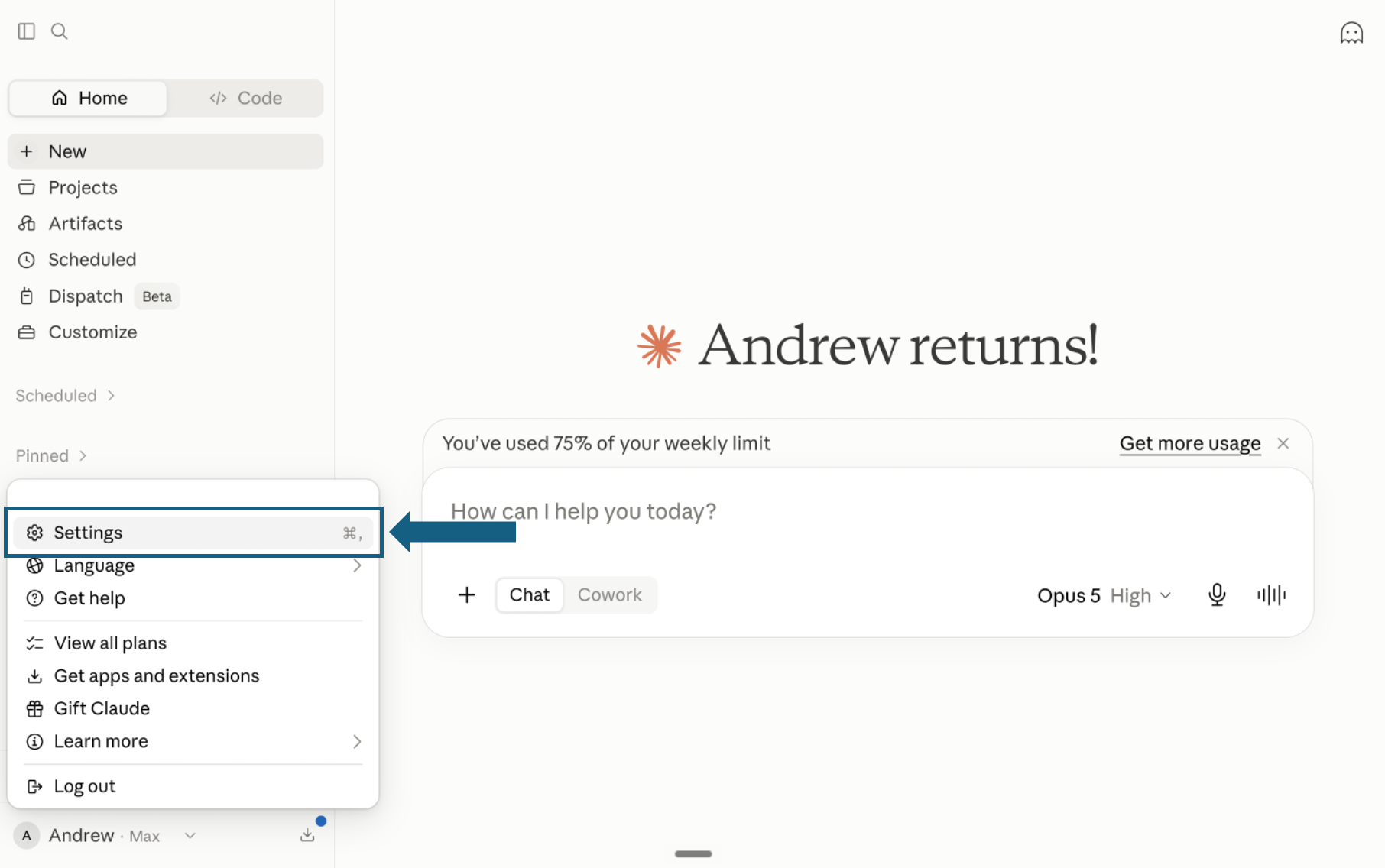
- Step 1Download from GitHub
Download the pack and open Settings
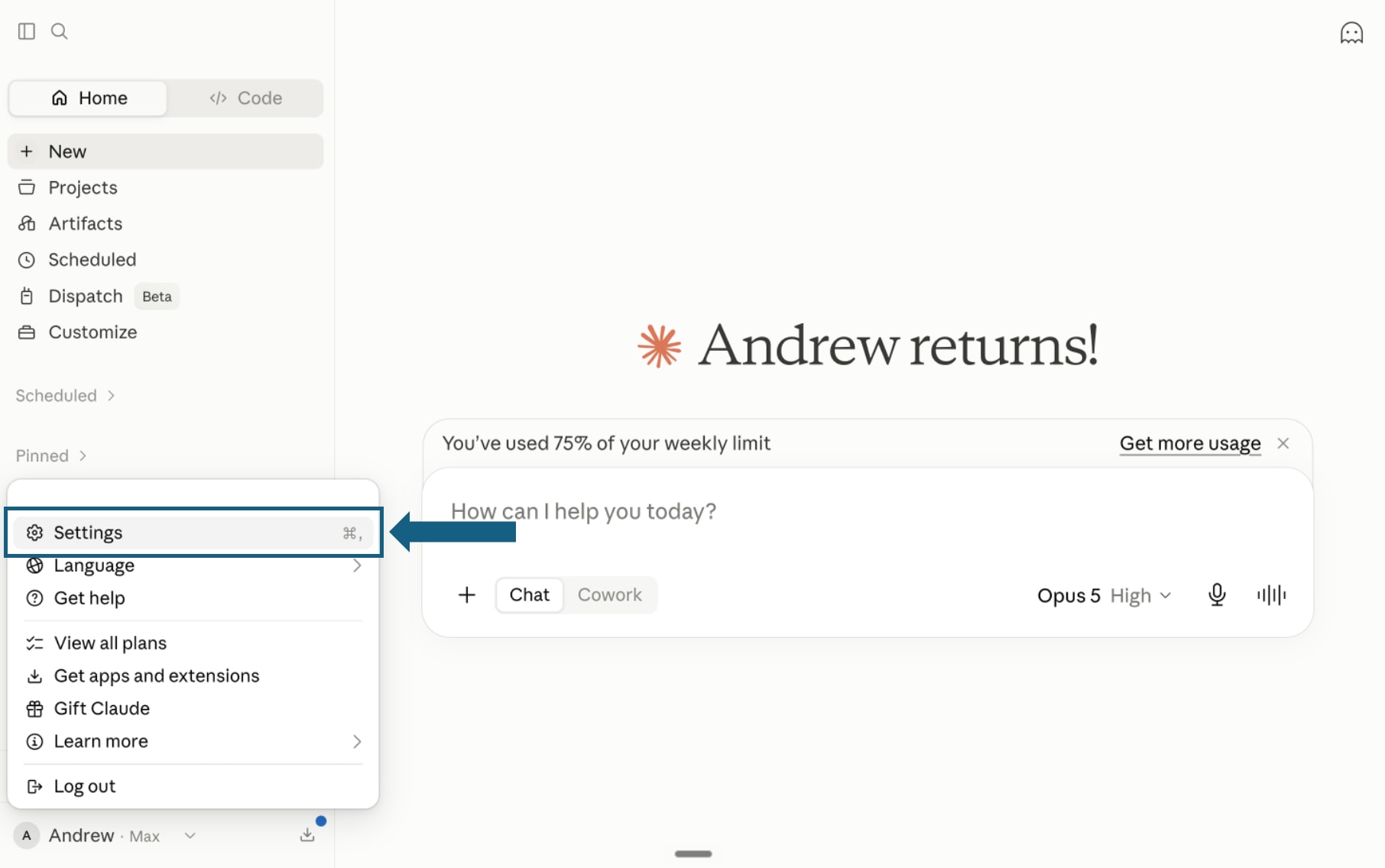
Download the pack and unzip it so each skill remains in its own folder with its SKILL.md file. In Claude, open your profile menu and select Settings.
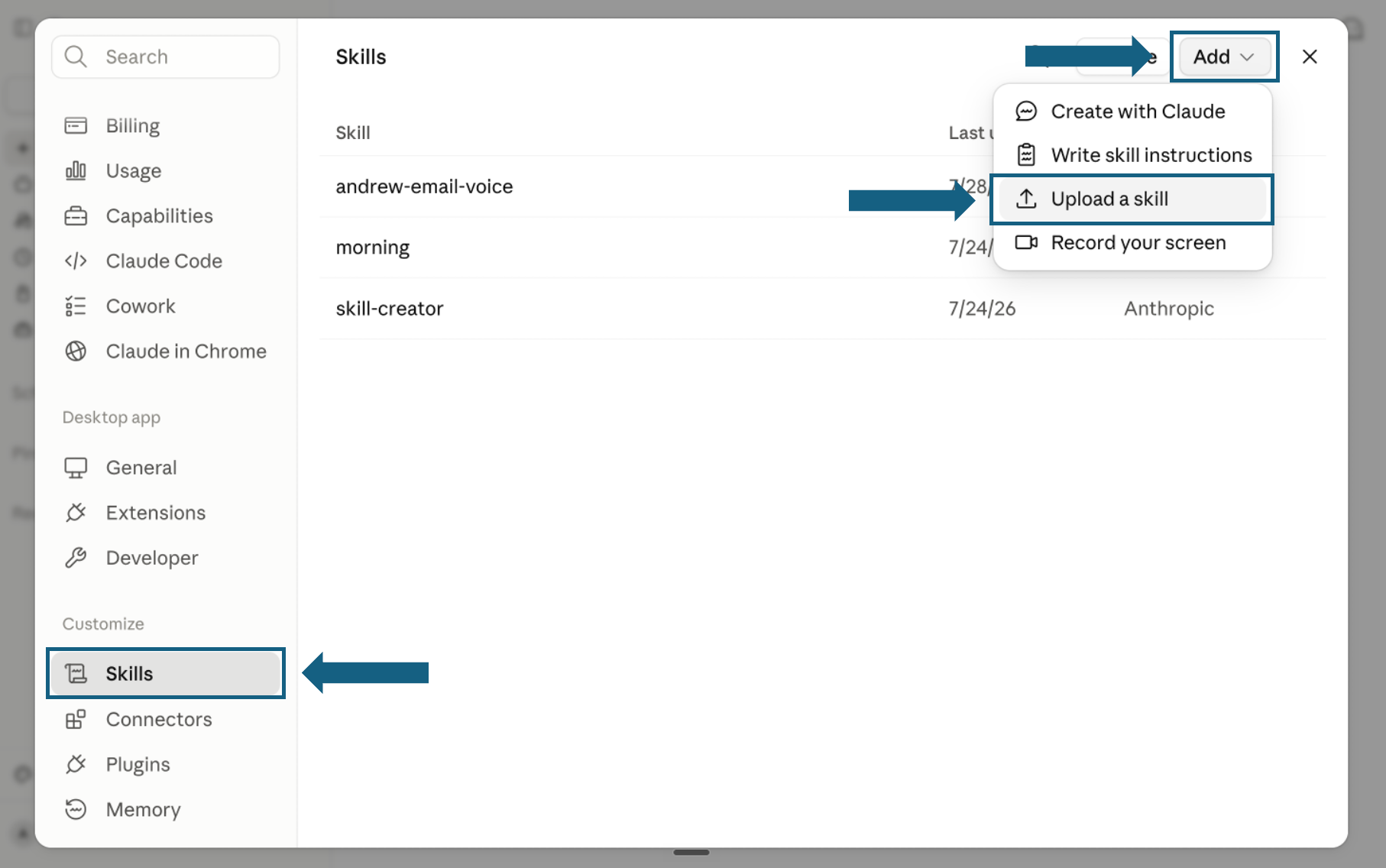
Open the screenshot to view it full size. - Step 2
Open Skills and start an upload
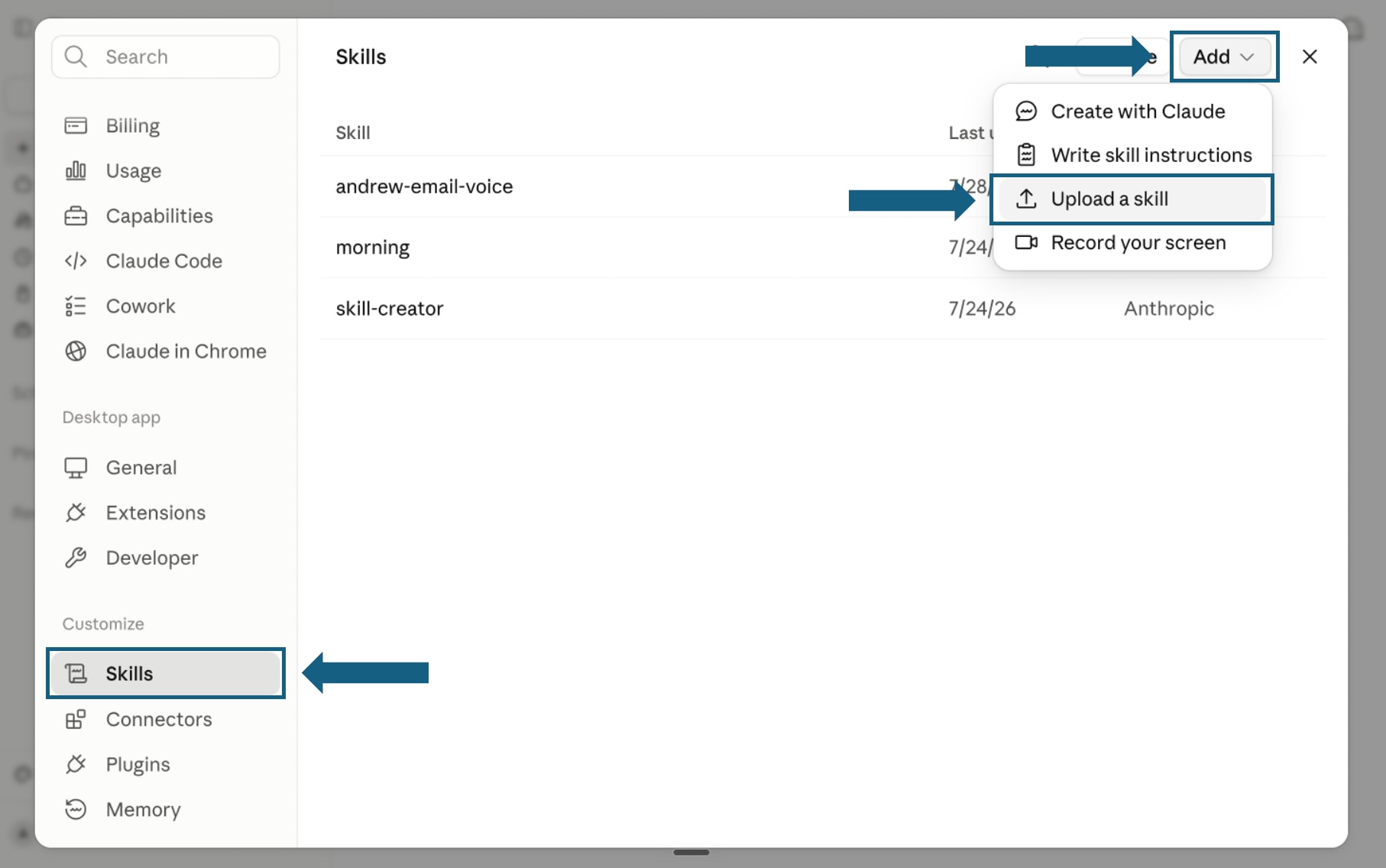
In Settings, select Skills under Customize. Open Add and choose Upload a skill.
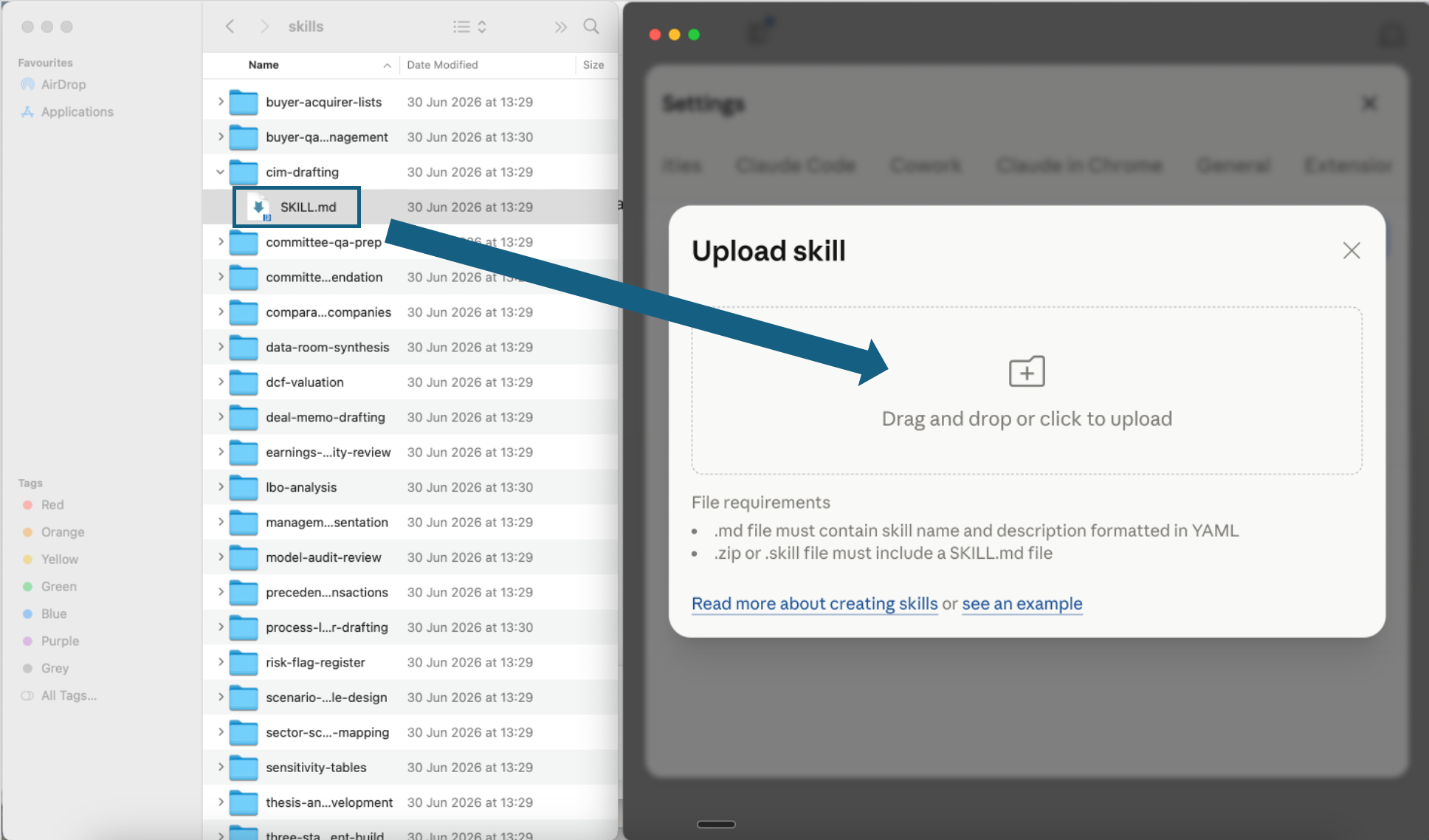
Open the screenshot to view it full size. - Step 3
Upload one skill file
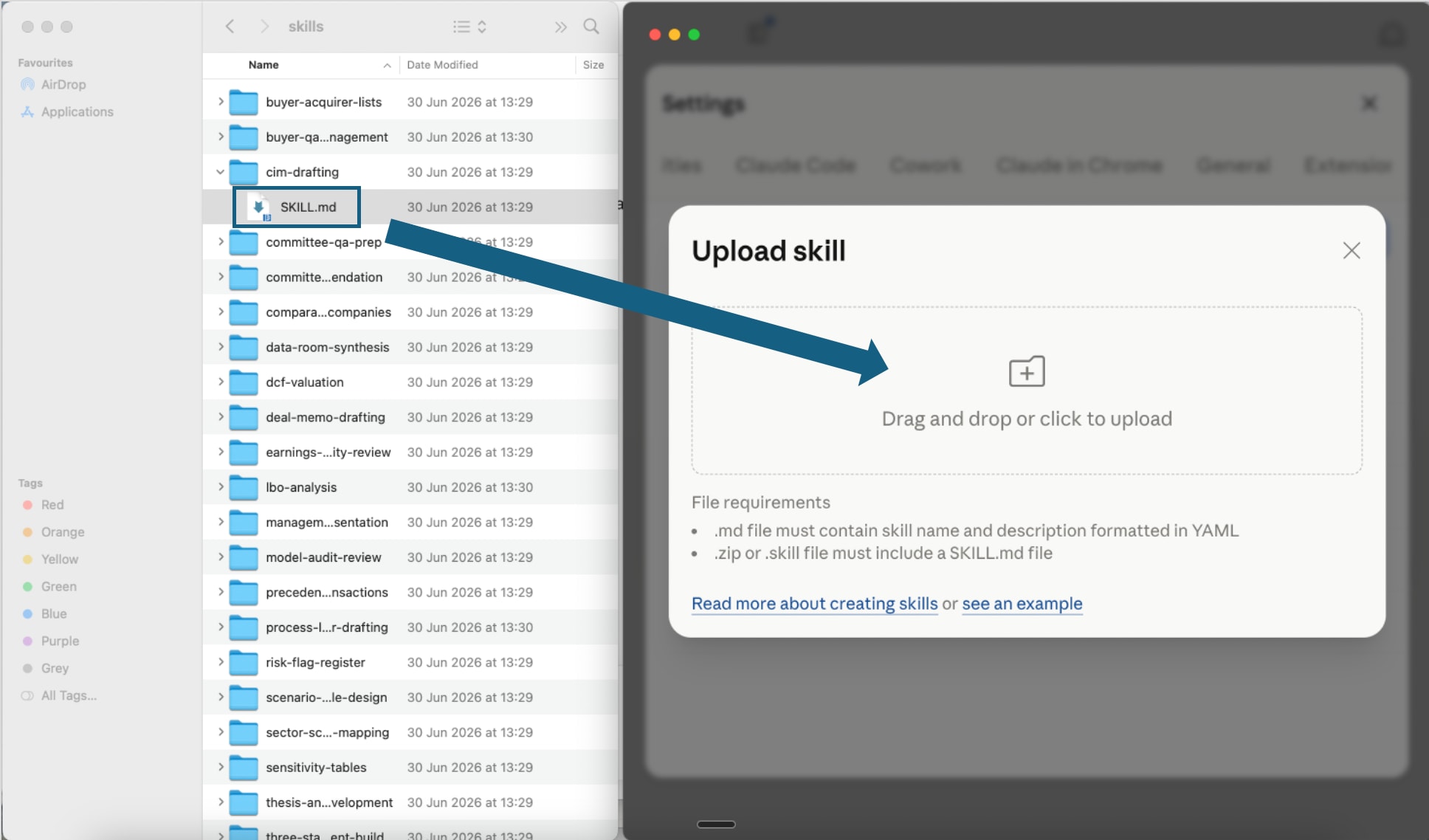
Open one extracted skill folder and drag its SKILL.md file into the upload window, or click the upload area to choose it. Repeat this step for each Excel model skill you want to add.
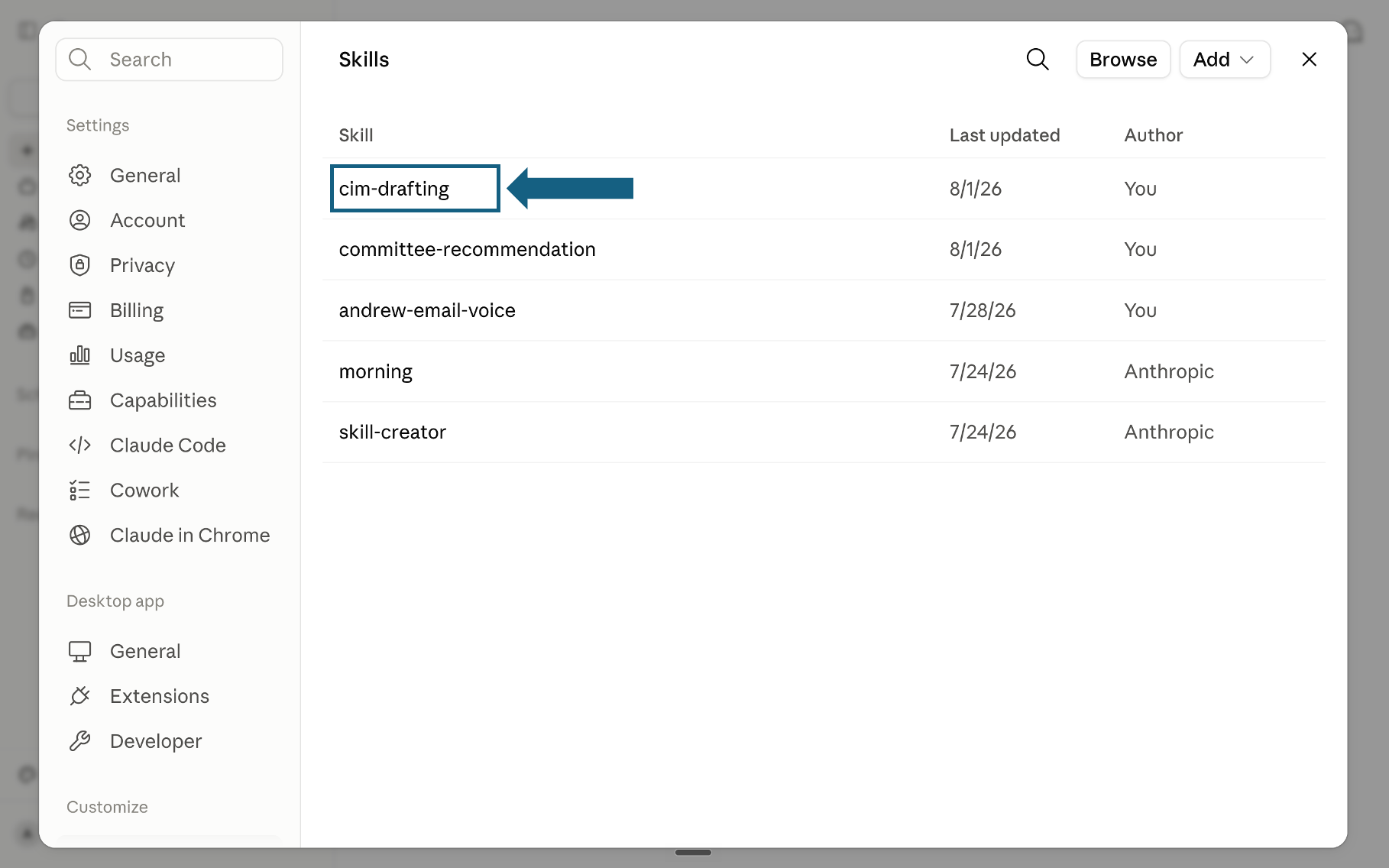
Open the screenshot to view it full size. - Step 4
Confirm the skill was added
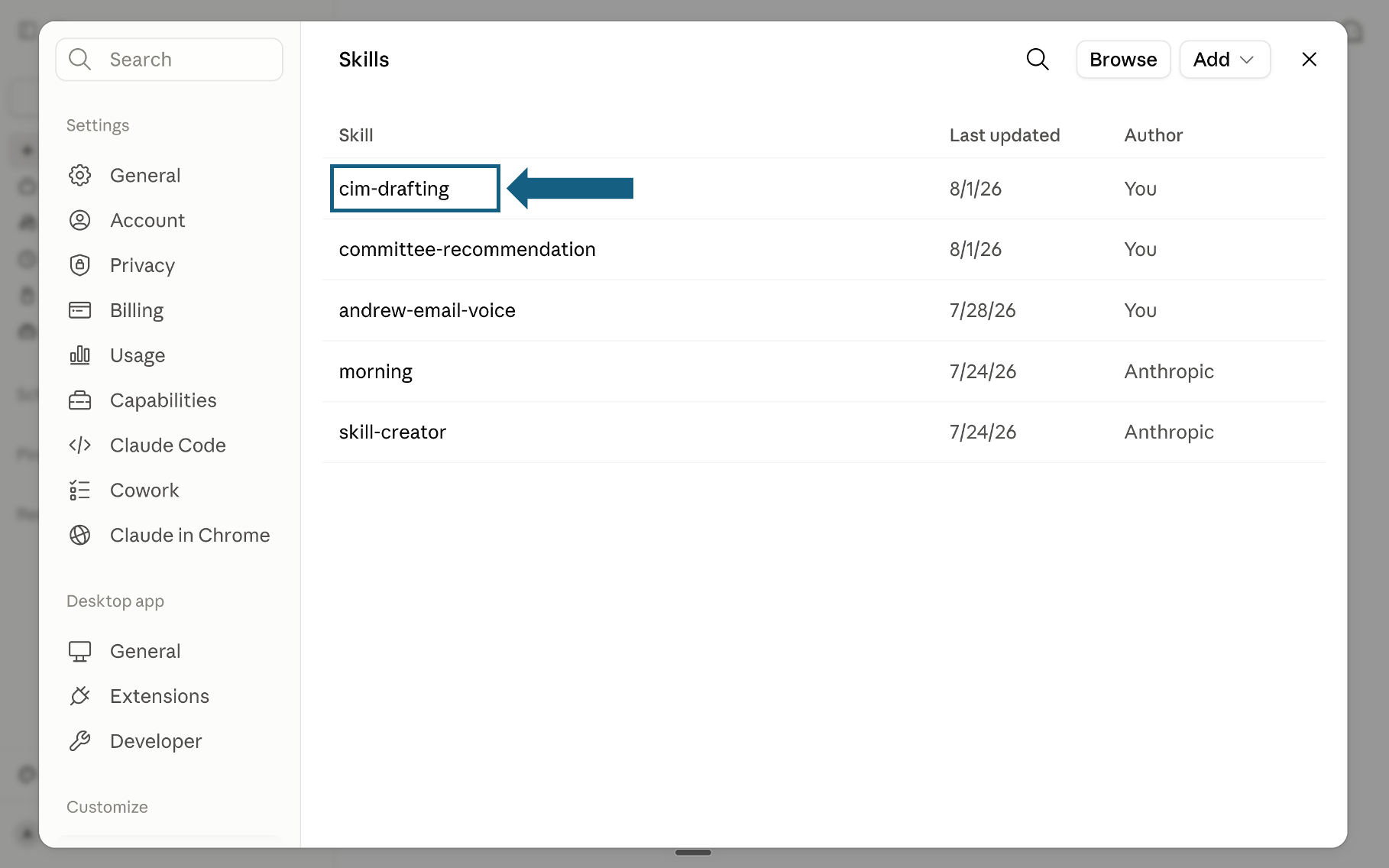
Return to the Skills list and check that the uploaded skill appears. Select its name to open it and review the instructions.
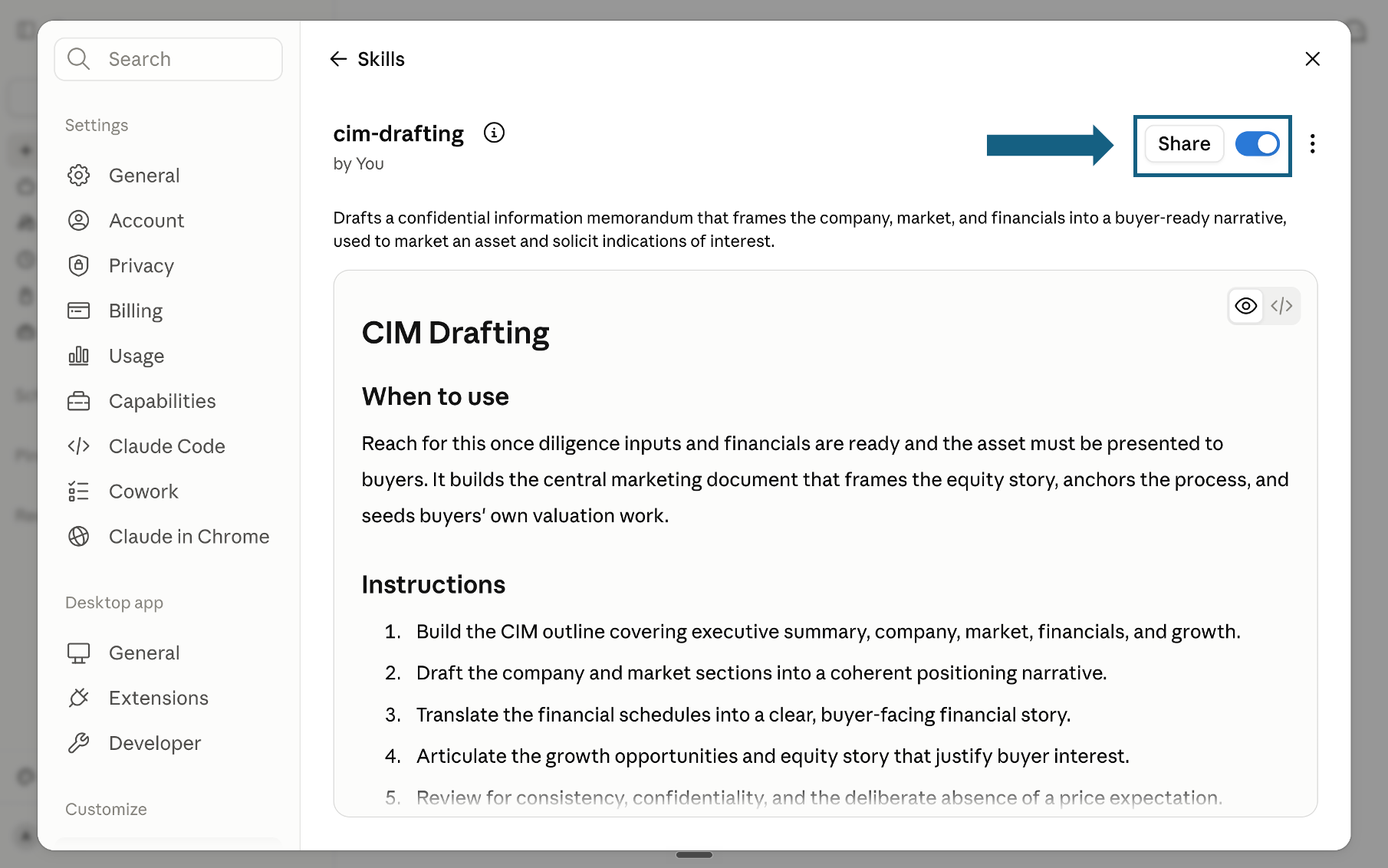
Open the screenshot to view it full size. - Step 5
Review and turn on the skill
Review the skill's name, description, and instructions, then make sure the switch beside Share is on. A blue switch means the skill is turned on; sharing it is optional.
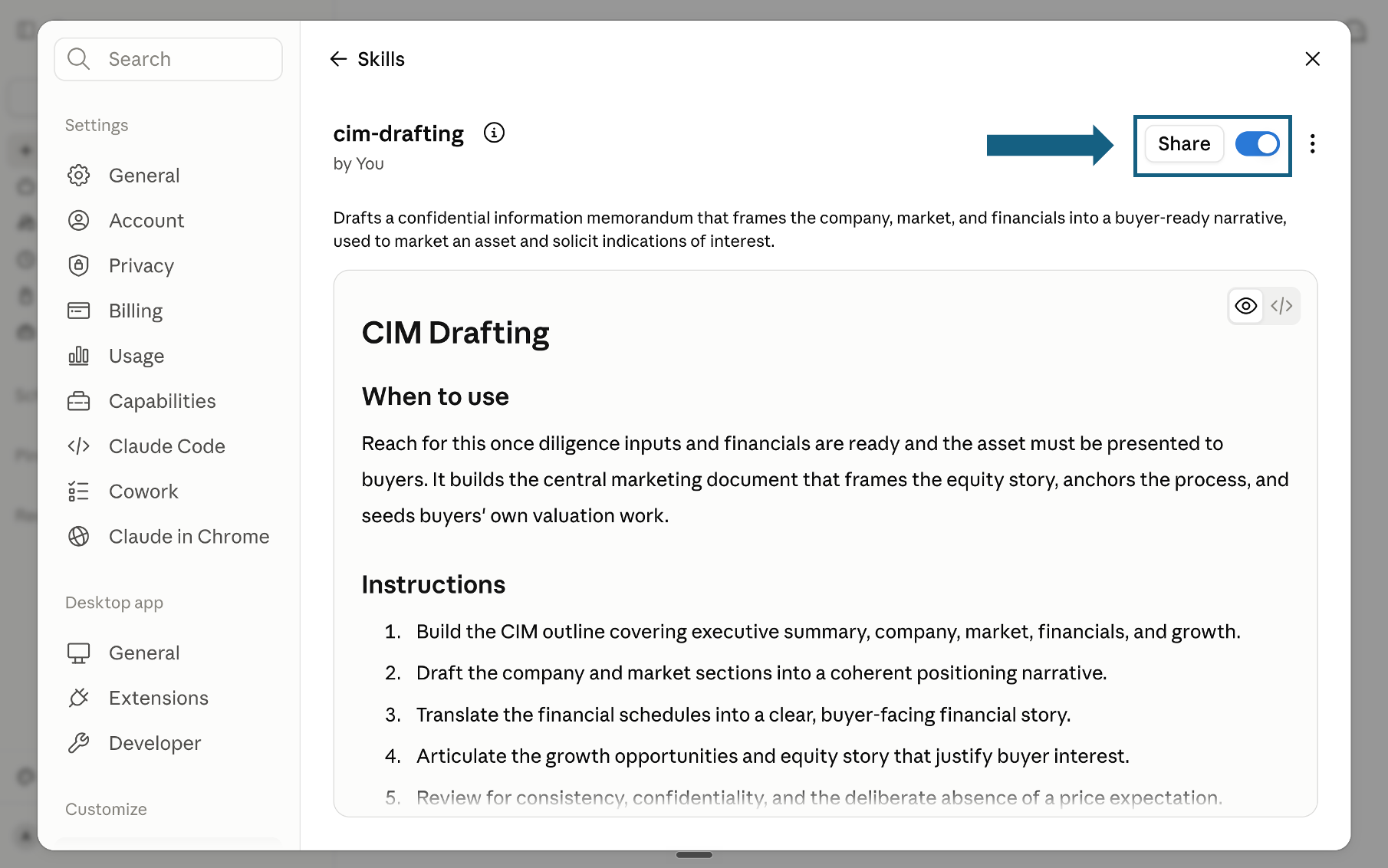
Open the screenshot to view it full size.
Try a skill
Name the skill, provide the assumptions or source data, and ask Claude to return a downloadable Excel workbook with live formulas. Review the workbook and its checks before relying on the result.
- "Use the dcf-model skill to build a DCF for this company in Excel."
- "Use the lbo-model skill to build an LBO with a 5-year hold and a 6x entry multiple."
- "Use the market-sizing skill to size this market top-down and bottom-up."
- "Use the pe-returns-waterfall skill to build an 8 percent preferred, 80/20 carry waterfall."
How to choose a Claude skill for Excel
Skip the directory hunt. Each of these Claude skills for Excel maps to a specific model, so pick the row that matches what you need to build and use that skill. For a wider walkthrough of working this way, see our consultant's guide to Claude.
The quality bar
Every skill is designed to push Claude toward outputs that meet the same partner-grade quality bar, the standard a senior associate would hold each deliverable to before it leaves the room.