

6 Claude Skills for Faster Weekly Business Reviews
6 standalone Claude skills for the weekly business review workflow. Agenda building, metrics commentary, variance analysis, exception framing, action tracking, and executive narrative. Built for strategy and finance teams who run structured weekly reviews under leadership pressure.
Claude skills for weekly business reviews
This is a pack of 6 Claude skills for the weekly business review workflow. Each skill teaches Claude to run one discrete WBR task with a repeatable, named method, so the half-day of preparation that a structured review typically demands becomes a set of focused, reviewable outputs you refine in minutes.
The skills cover the three phases of a WBR: preparing the meeting (agenda and metrics commentary), analysing what the data says (variance bridge and exception framing), and following through after it (action register and executive narrative). Use the full set in sequence, or pull individual skills for a specific phase.
Built for strategy and finance teams, chiefs of staff, and operations leads who run structured weekly reviews. For the slide output, pair these skills with Claude skills for board-ready decks to take the narrative from WBR draft to finished PowerPoint. Each skill is one folder with a single SKILL.md file. Install the ones you need or load the full set.
Download all 6 skills
One zip, one folder per skill. Free, no signup.
The 6 Skills You Get
The pack follows the order of a real WBR cycle: prepare first, analyse the data, follow through after the meeting. Every skill is also usable individually for targeted work. For the broader reporting context, see our Claude skills for executive summary writing.
The weekly business review workflow
Phase 1 · 2 skills
Prepare the Review
Use these two skills before the meeting. The agenda builder turns your KPIs and open actions into a time-boxed agenda. The metrics pulse writer converts the data extract into commentary with RAG status and a recommended action for each indicator.
WBR Agenda Builder
Use when: You need a structured, time-boxed agenda from your KPIs, open actions, and escalations
Output: Timed agenda with KPI review ordered by RAG status, open actions sweep, and per-item decision expected
Metrics Pulse Writer
Use when: You have a metrics table (actuals, targets, prior period) and need commentary for each KPI
Output: Per-metric commentary with RAG status, variance explanation, trend direction, and recommended action
Phase 2 · 2 skills
Analyse the Data
Use these two skills when the data raises questions the commentary alone does not answer. The variance bridge analyst decomposes a KPI movement into volume, rate, and mix effects. The exception framer surfaces and ranks the top items requiring leadership attention.
Variance Bridge Analyst
Use when: A KPI has moved period-on-period and the room will ask why, not just how much
Output: Volume, rate, and mix attribution with the dominant driver identified and a one-sentence narrative
Exception Framer
Use when: You need to identify the top 3 to 5 exceptions from the full metrics set before the meeting
Output: Ranked exception register with the so-what, recommended action, and escalation flag per item
Phase 3 · 2 skills
Follow Through
Use these two skills after the meeting. The action register builder converts meeting notes into a structured, ownable action list. The WBR narrative drafter converts the full analysis into a slide-ready executive summary your leadership team can take straight into PowerPoint.
Action Register Builder
Use when: You have meeting notes or a decision log and need a clean, trackable action list within the hour
Output: Structured action register with owner, due date, status, and linkage to the relevant KPI or exception
WBR Narrative Drafter
Use when: You need to convert the completed analysis into a slide-ready narrative for the executive summary
Output: Governing headline, ranked findings, top exception with action, and a clear next step for the audience
Setup Guide
- Step 1Download all 6 skills (.zip)
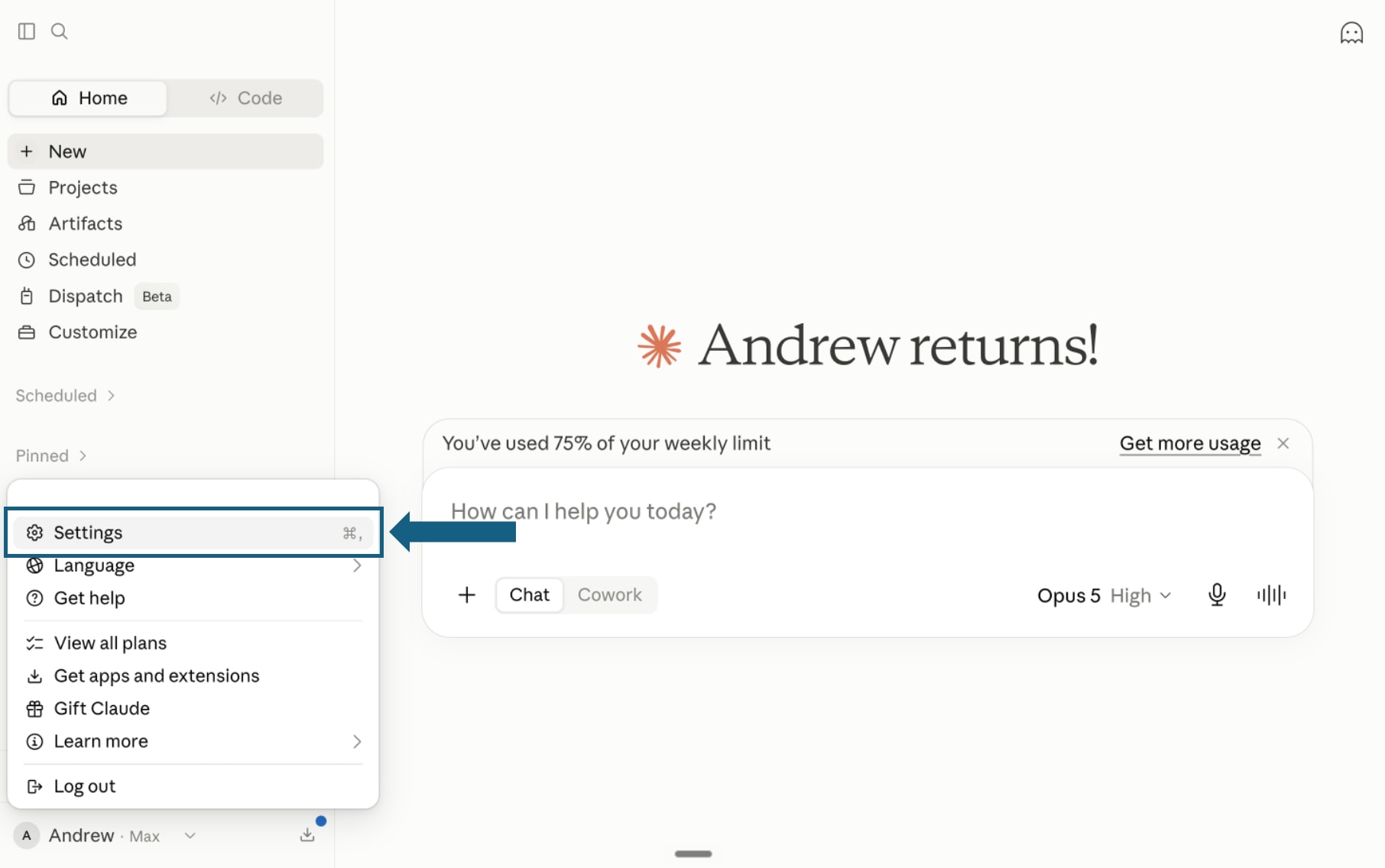
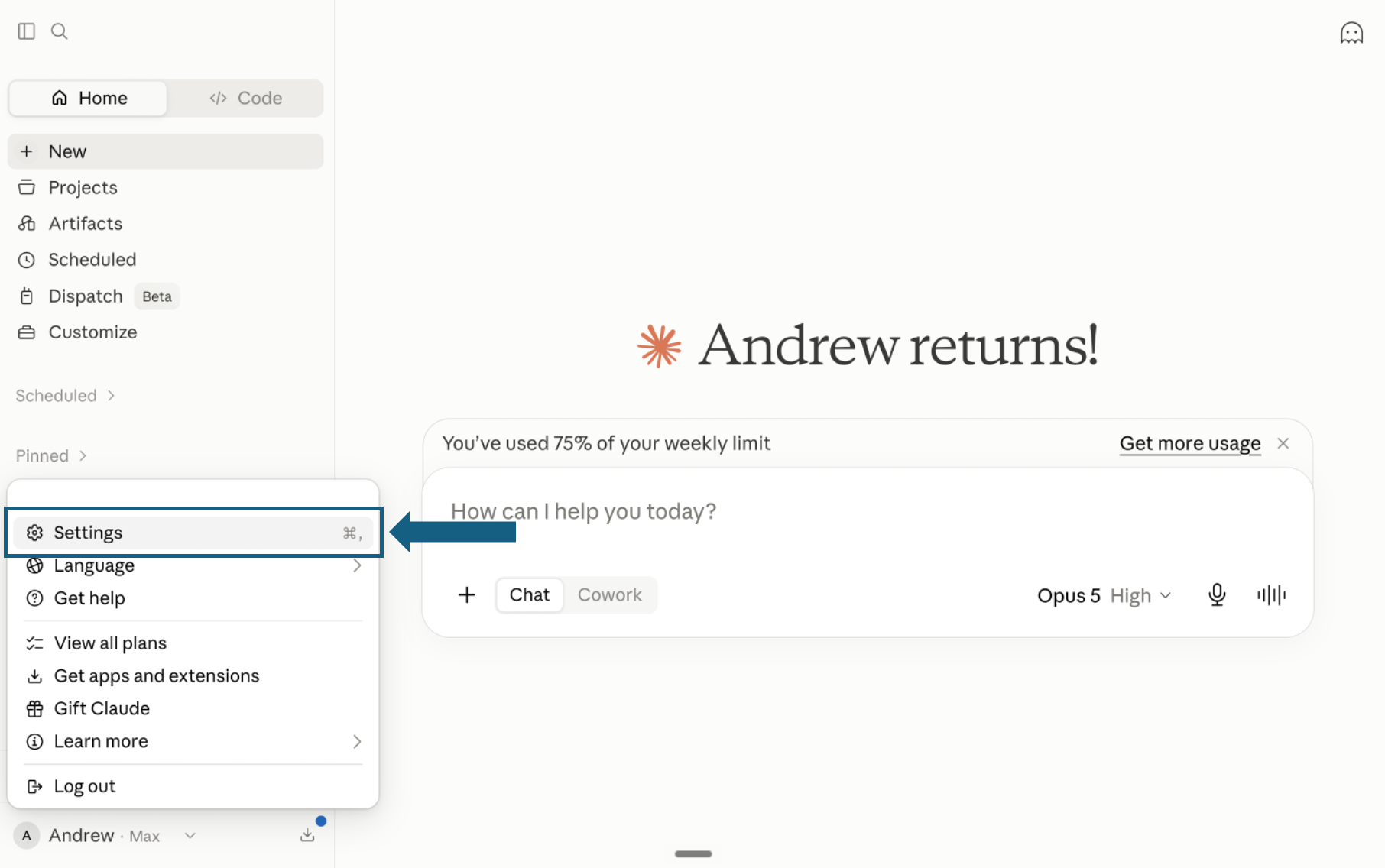
Download the pack and open Settings
Download the pack and unzip it so each skill remains in its own folder with its SKILL.md file. In Claude, open your profile menu and select Settings.
Open the screenshot to view it full size. - Step 2
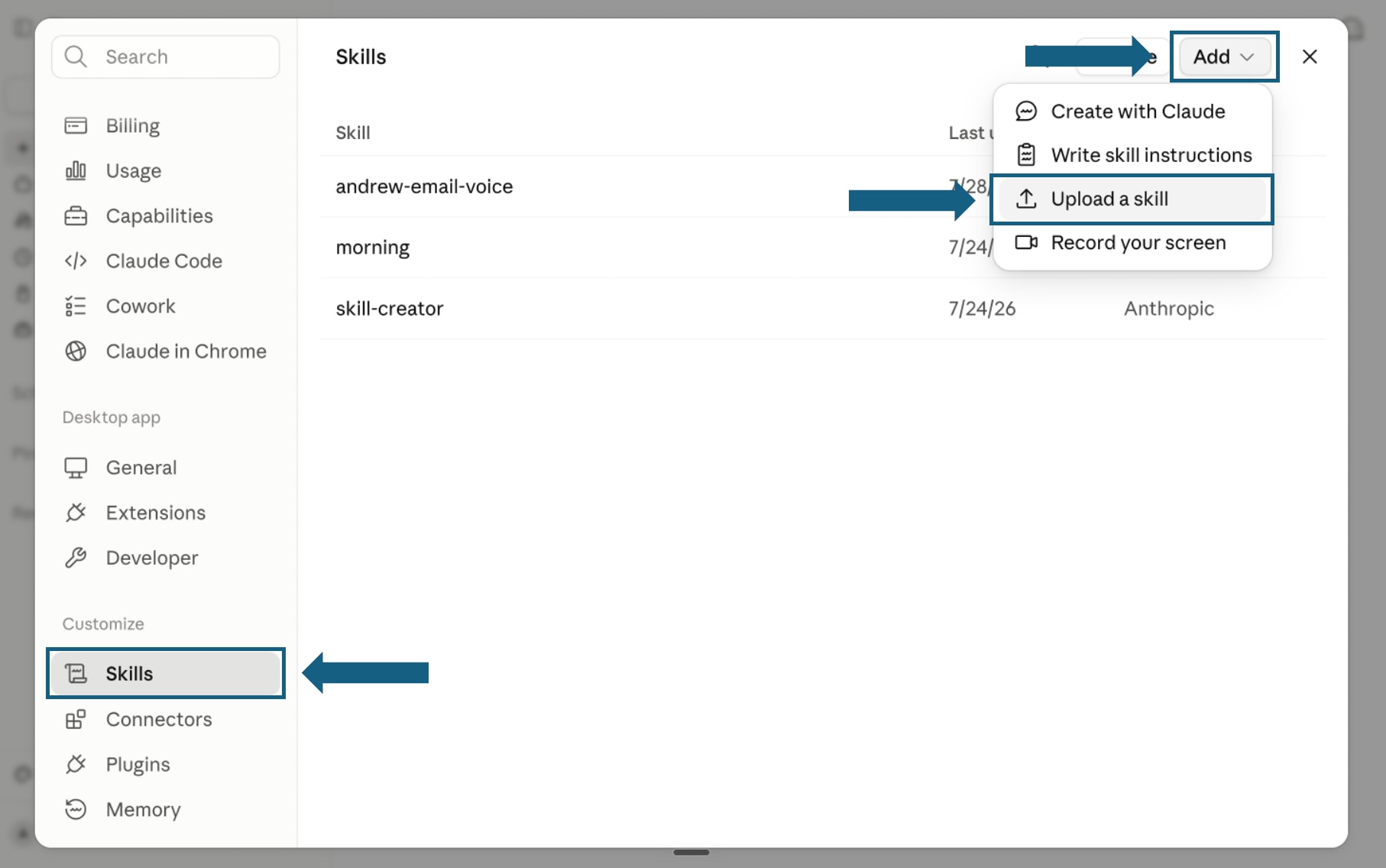
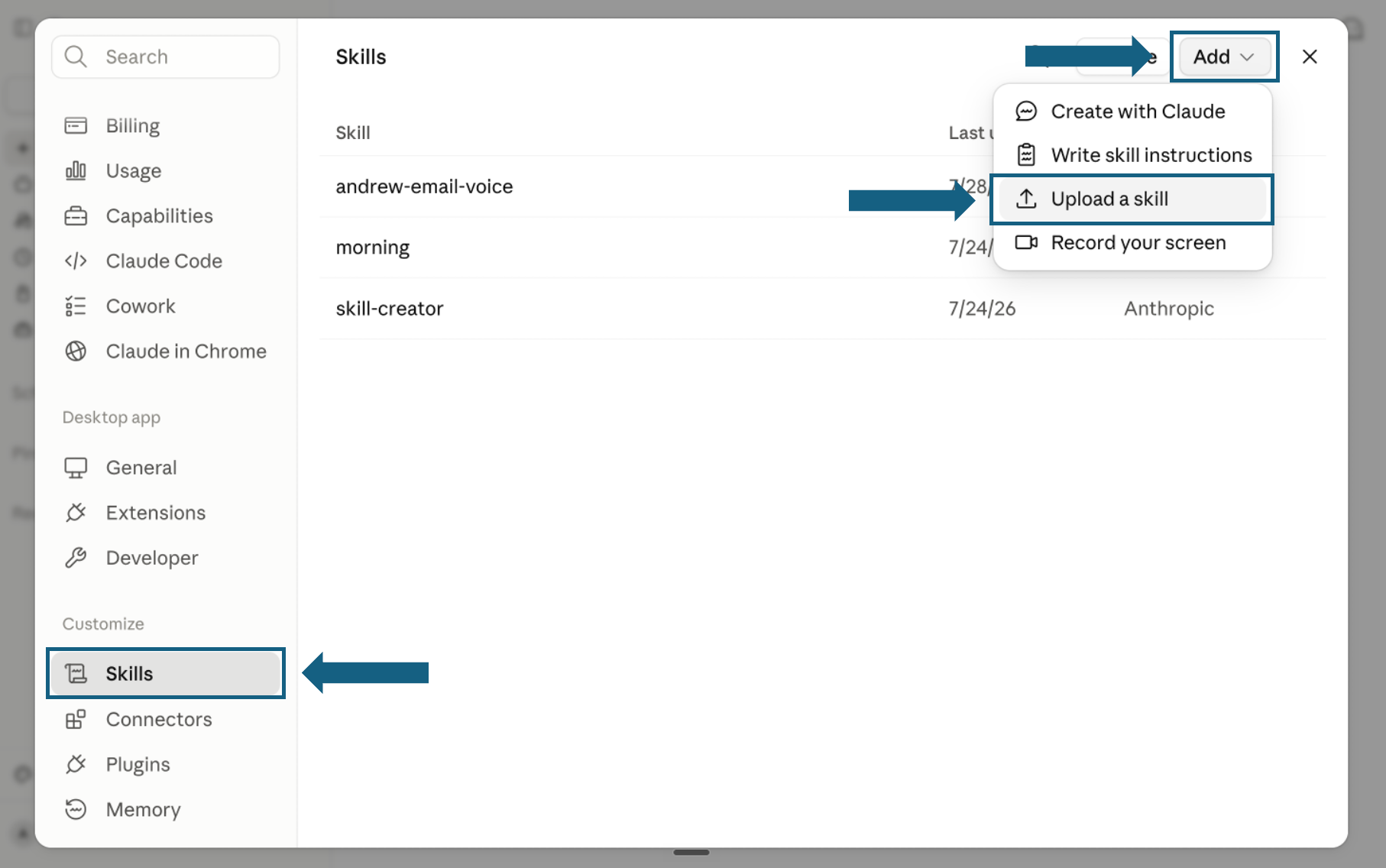
Open Skills and start an upload
In Settings, select Skills under Customize. Open Add and choose Upload a skill.
Open the screenshot to view it full size. - Step 3
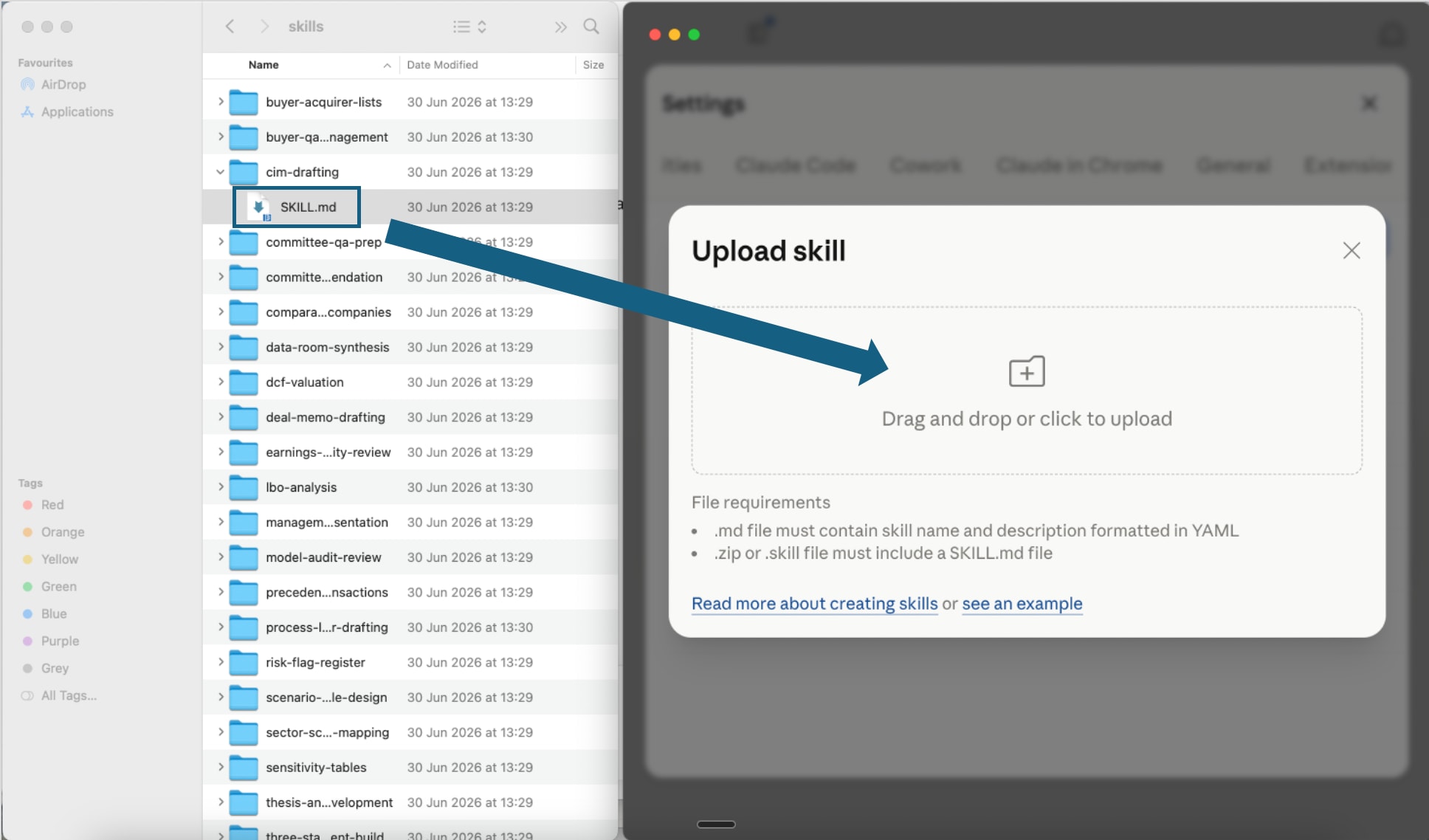
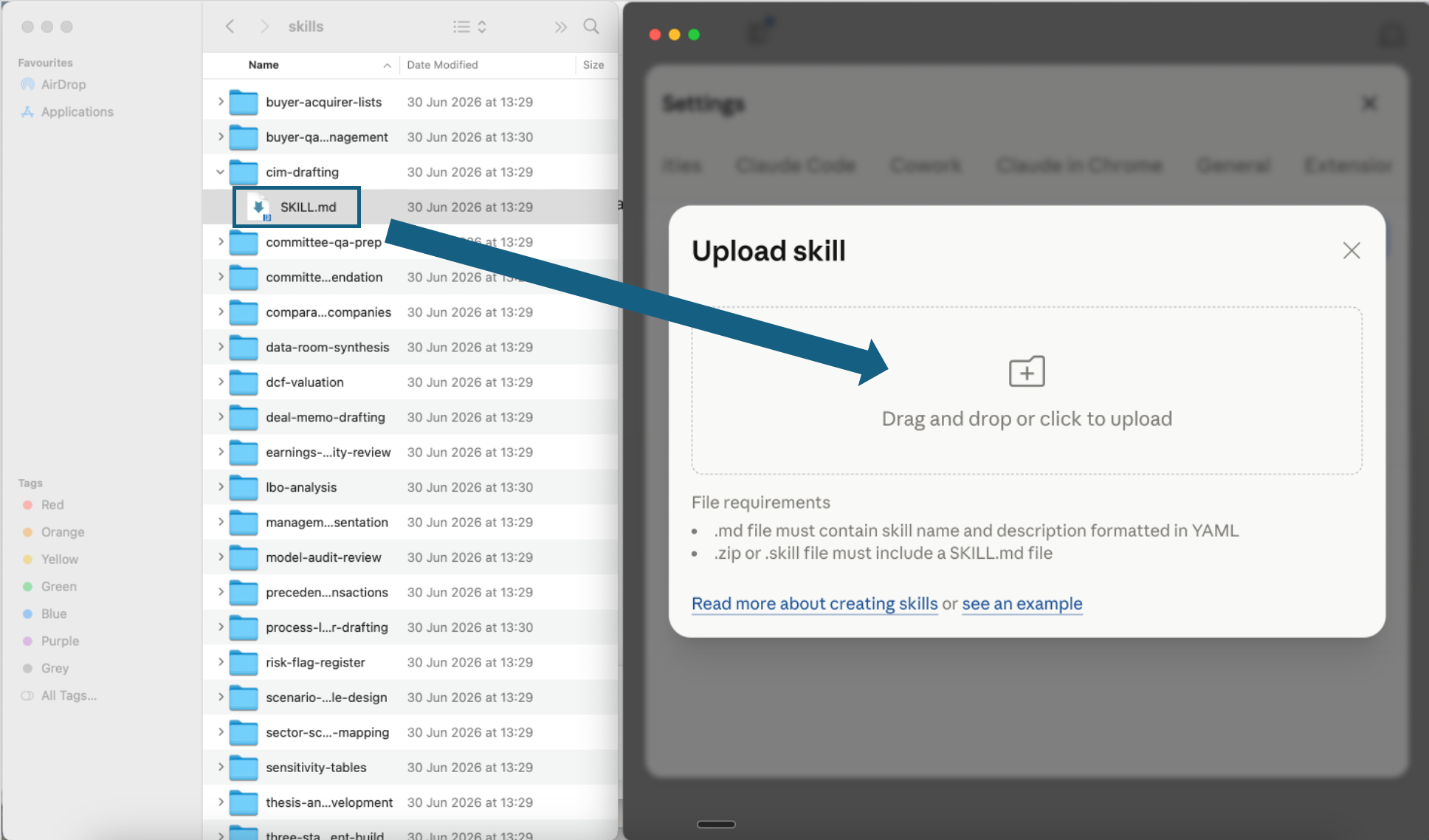
Upload one skill file
Open one extracted skill folder and drag its SKILL.md file into the upload window, or click the upload area to choose it. Repeat for each skill you want to add.
Open the screenshot to view it full size. - Step 4
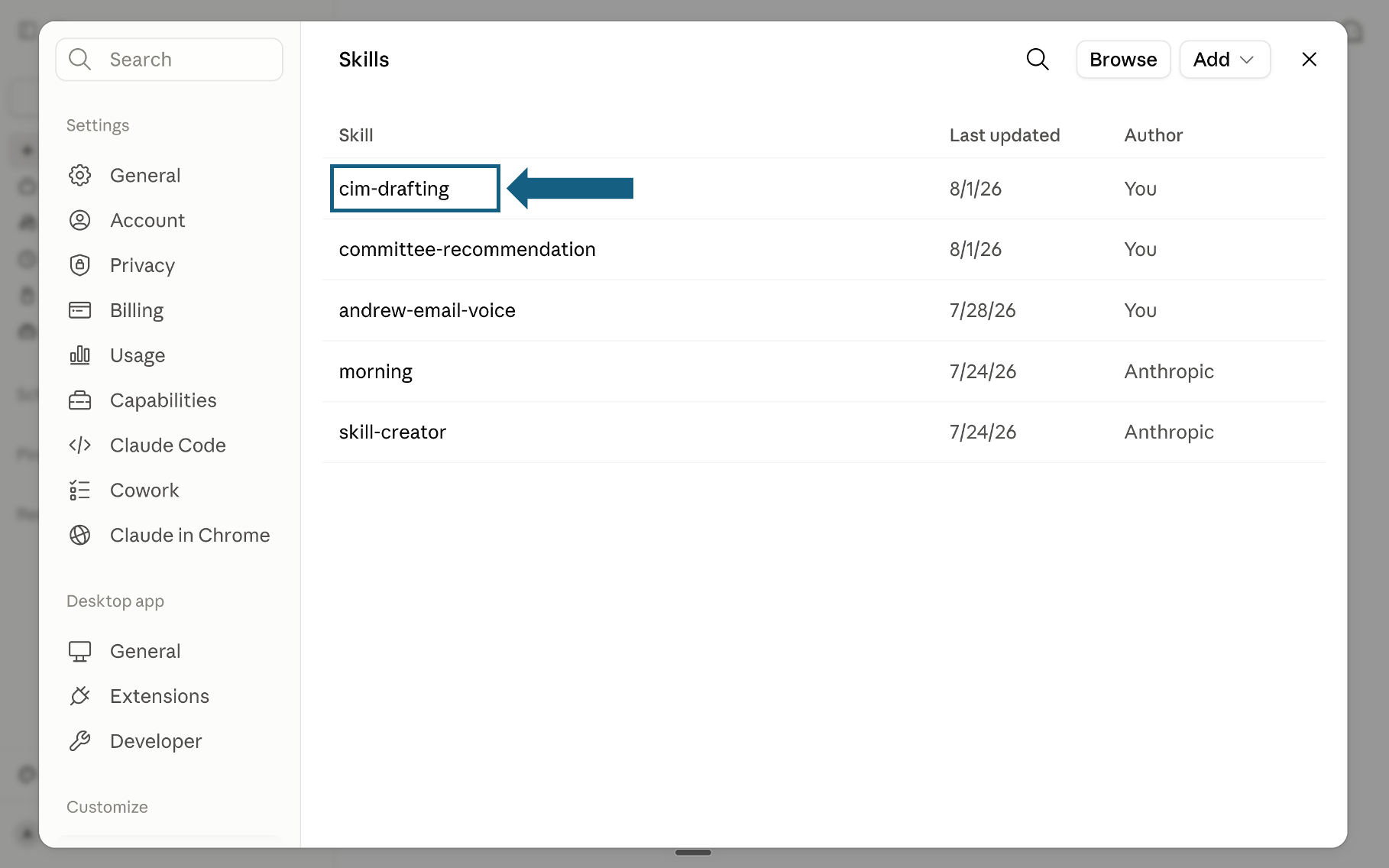
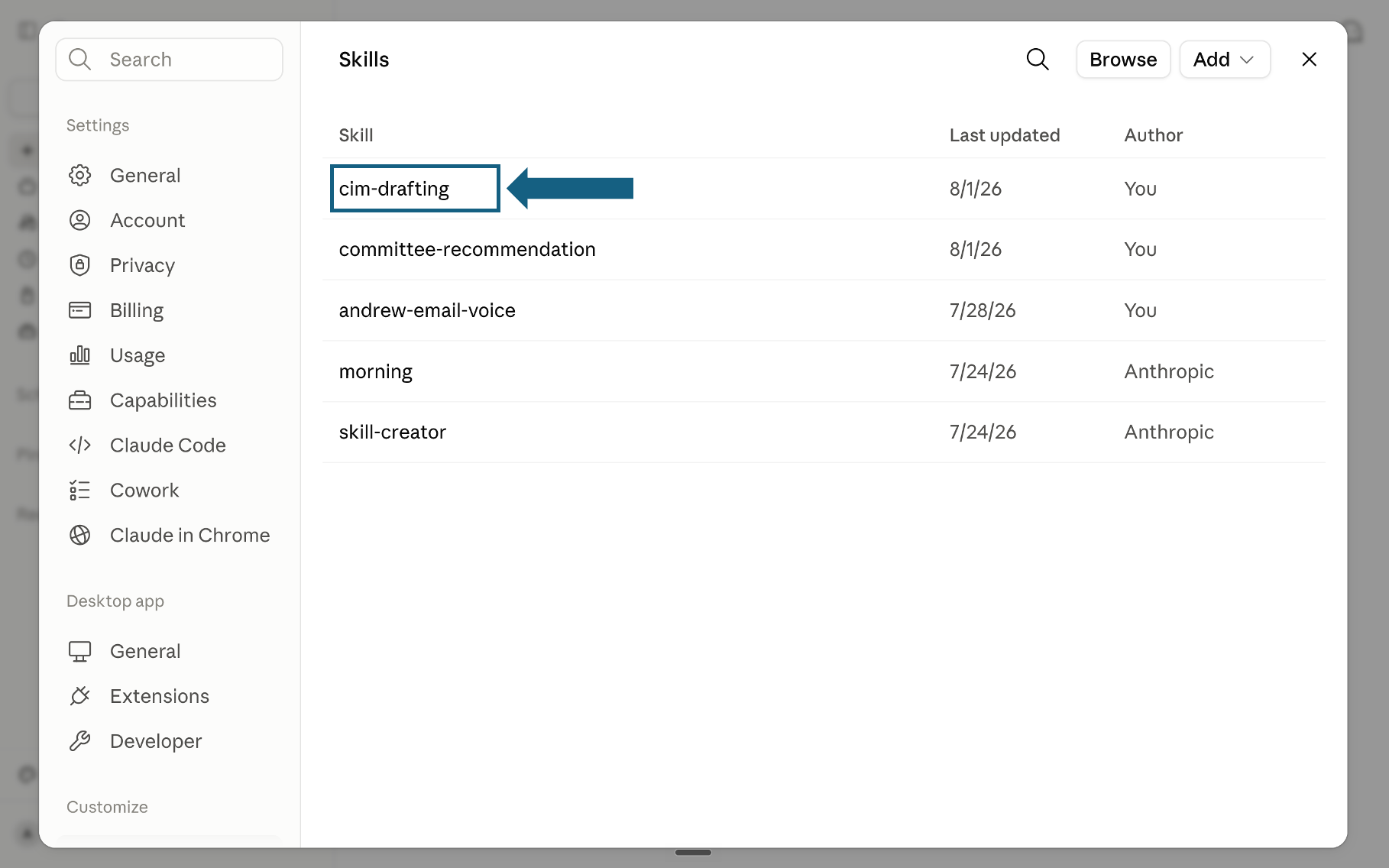
Confirm the skill was added
Return to the Skills list and check that the skill appears. Select its name to open it.
Open the screenshot to view it full size. - Step 5
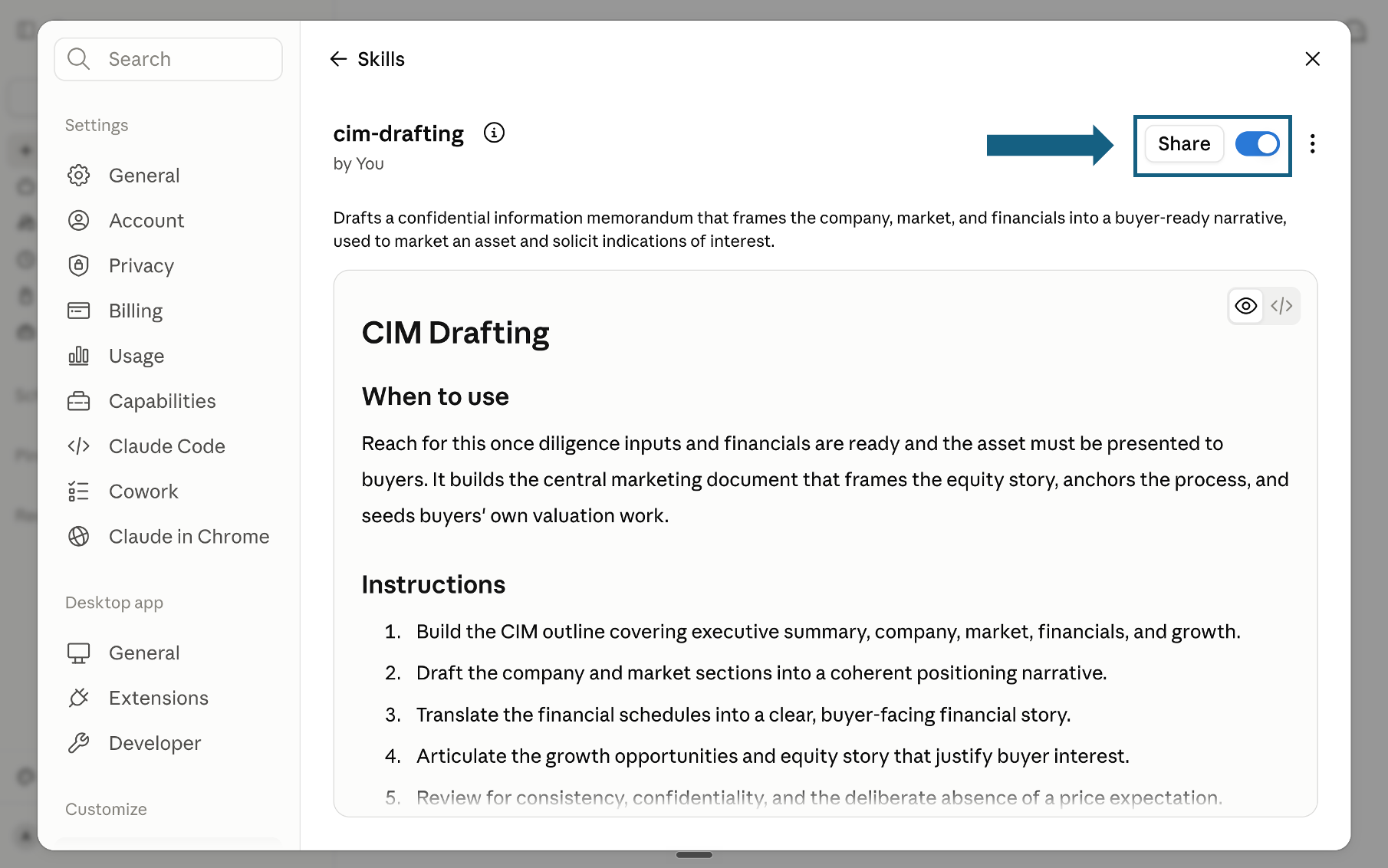
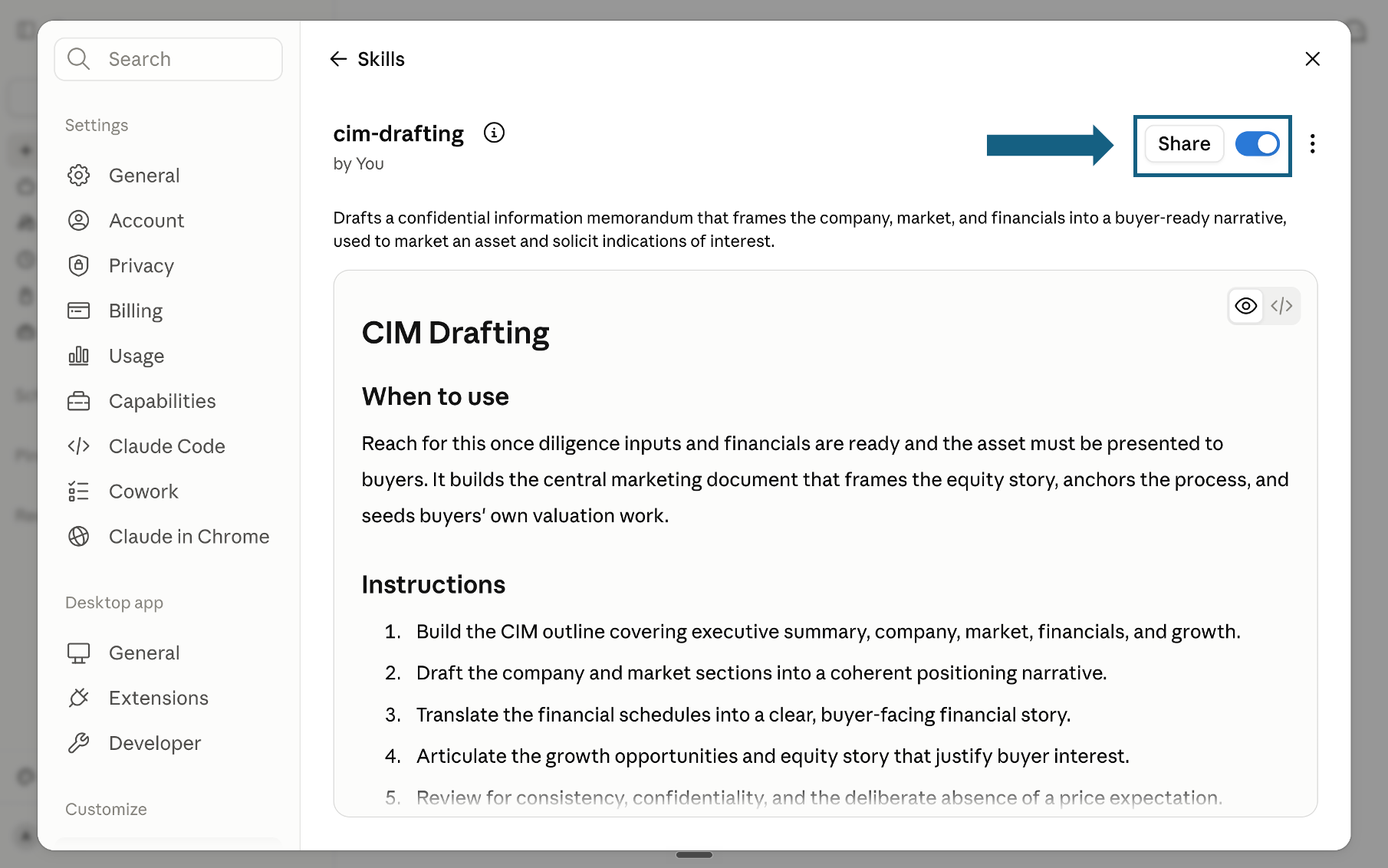
Review and turn on the skill
Review the skill's name, description, and instructions, then make sure the switch beside Share is on. A blue switch means the skill is turned on; sharing it is optional.
Open the screenshot to view it full size.
Try a skill
Tell Claude which skill to use and provide the relevant files or context. Review every output before sharing it.
- "Use the wbr-agenda-builder skill to build this week's agenda from these 10 KPIs and 5 open actions. Meeting is 60 minutes."
- "Use the metrics-pulse-writer skill to write commentary for these 8 KPIs. RAG threshold: green within 5%, amber within 10%, red beyond 10%."
- "Use the variance-bridge-analyst skill to decompose the revenue miss from these weekly actuals and prior week figures."
- "Use the action-register-builder skill to convert these meeting notes into a structured action register. Flag any action without an owner."
How to choose a skill
Match the question you need to answer to the right skill. Each maps to one task in the WBR cycle.
The quality bar
Every skill pushes Claude toward output that holds up in a leadership review. Methods are named where a named method exists: RAG status thresholds, Price-Volume-Mix variance attribution, SCQA narrative structure. No invented metrics, no generic recommendations.