

How to build a project charter template
A project charter template should cover seven sections: background and business case, objectives and success criteria, scope, governance, timeline, team and resourcing, and risks and assumptions. State the business case in two sentences, name a single sponsor, and put a date on every milestone. Everything else in the charter supports those seven blocks.
This guide walks each section, the mistakes that make a charter easy to ignore, a working template you can copy, and the prompts that build it fast, both to draft the content and to render the slides. Everything you need is here.
What a project charter is and when to write one
A project charter is the short document that turns a proposal into an approved engagement. It states what the team is being asked to do, who sponsors the work, what success looks like, and where the boundaries sit. Once it is signed off, client and consulting team alike work from the same charter for the rest of the engagement.
Most engagements draft the charter in the first week, before the detailed workplan. It gets signed by the sponsor, then sits alongside an executive summary slide in the kickoff pack, carrying the same situation, complication, resolution logic. If the charter is vague, the workplan built on it will be too.
The seven-part structure of a project charter template
Seven sections carry a project charter from context to commitment, in that order. Get the order right and a sponsor can read the first two sections and still know what they are being asked to approve.
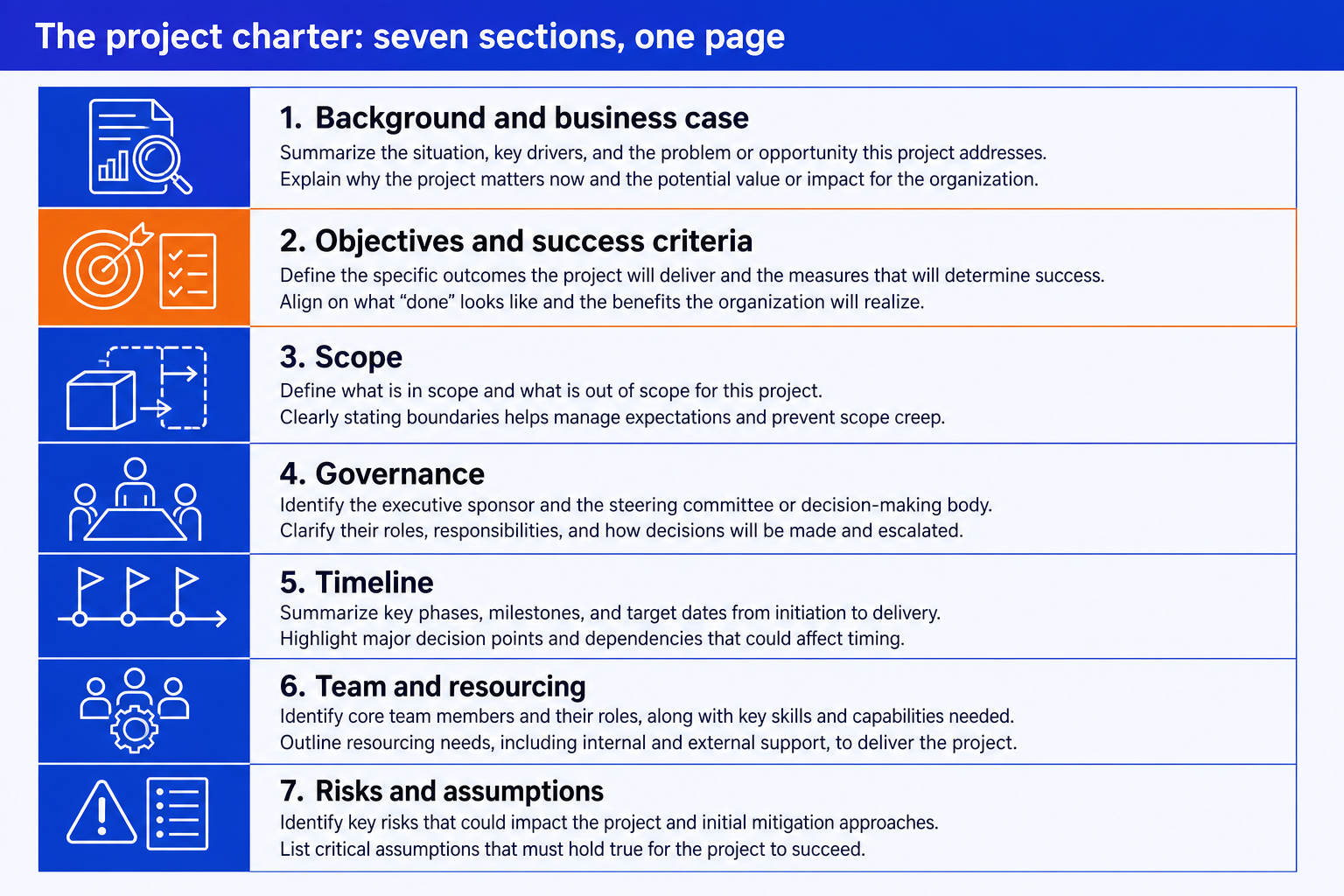
1. Background and business case. The problem or opportunity that triggered the engagement, in two or three sentences.
2. Objectives and success criteria. Two or three objectives, each stated as an outcome, not an activity.
3. Scope. The business units, geographies, or processes covered.
4. Governance. The sponsor, named, and the decision rights they hold.
5. Timeline. The engagement start and end dates.
6. Team and resourcing. The core team, by name and role.
7. Risks and assumptions. The top three or four risks, each with an owner and a mitigation.
What goes in each section: the contents checklist
Use this as a build checklist. For each section, confirm the three items below are present before the charter goes to the sponsor. If one is missing, that is usually the gap someone challenges in the kickoff meeting.
Background and business case
Objectives and success criteria
Scope
Governance
Timeline
Team and resourcing
Risks and assumptions
For the governance section specifically, our RACI matrix slide guide walks through laying out the steering committee and decision rights as a single slide.
Common mistakes to avoid
Most of these come down to one habit: writing the charter as a record of what has already been discussed instead of a document a sponsor can hold the team to. Name an owner and a date for everything that matters.
The one-prompt route: turn your charter into slides
Formatting a scope grid, a governance block, and a milestone timeline by hand, on a strict corporate template, is exactly the kind of mechanical work that eats the first week of an engagement. Oria removes it. It is an AI add-in that runs in the PowerPoint task pane and produces fully editable native PowerPoint elements in your template. You describe each block in a line and Oria renders it.
Because the output is native, every label, column, and date stays editable afterward. You can rename a milestone, add a risk, or swap a team member the night before the kickoff without rebuilding the slide.
One-line governance slide prompt for Oria
The prompts that build the charter
These are the exact copy-paste prompts we use to build the highest-stakes blocks of a project charter and to draft the content behind them. The first four are for Oria inside PowerPoint; the last two are for drafting content in Claude before you build. Replace the bracketed parts with your own project details.
Build the slide in Oria
Build the objectives and success criteria slide
Build the scope grid slide
Build the timeline and milestones slide
Build the risks and assumptions slide
Draft the content in Claude first
Turn kickoff notes into objectives and success criteria
Draft the risks and assumptions section from a scoping call
Tip
Draft the objectives and the risks in Claude first, then hand the clean lines straight to Oria. For the wider method from framing to a finished deck, our 21 strategy skills for Claude include prompts built for exactly this kind of framing work.
A working project charter template you can copy
Seven blocks cover a routine project charter on a single page. Copy this order, then size each block to how much the engagement actually needs to say.
Cover band. Project name, sponsor, and charter version or date, nothing else.
Background and business case block. Two or three sentences on what triggered the engagement and the outcome it is meant to deliver.
Objectives and success criteria list. Two or three objectives, each paired with its success criterion and target date.
Scope grid. Two columns, in scope and out of scope, four to six bullets each.
Governance block. Sponsor name, steering committee members and roles, and meeting cadence.
Timeline strip. Start date, milestones, and end date laid out left to right.
Risks and assumptions grid. Top risks with an owner and mitigation, plus the assumptions and constraints the plan depends on.
A larger engagement, spanning multiple workstreams or business units, may need a short appendix behind these seven blocks, but the core page above stays the same regardless of the engagement's size.
Frequently asked questions
What is a project charter?
A project charter is the short document that formally authorizes a consulting engagement. It states the business case, the objectives, the scope, who governs the work, the timeline, and the key risks. Once the sponsor signs off, the charter becomes the reference every workstream is built against.
What should a project charter include?
Seven sections cover most project charters: background and business case, objectives and success criteria, scope, governance, timeline, team and resourcing, and risks and assumptions. Smaller engagements can compress these onto a single page, but each section should still be present in some form.
Who approves a project charter in a consulting engagement?
The sponsor approves the charter, usually the senior client stakeholder accountable for the outcome. On larger engagements, a steering committee reviews it alongside the sponsor before the team starts detailed work. The named approver should be the same person named in the governance section.
How long should a project charter be?
One to two pages for most engagements. The charter is meant to be read in a few minutes, not studied like a workplan. If a section needs more detail than a charter can hold, for example a full risk register, link out to it rather than expanding the charter itself.
What is the difference between a project charter and a statement of work?
A statement of work is the commercial document: fees, deliverables, and contractual terms, typically signed before the engagement is confirmed. A project charter is the internal working document that follows it, translating the same engagement into objectives, scope, governance, and a timeline the delivery team works from day to day.