

Copilot vs Gemini for Presentations: Which to Pick
Pick Copilot if your team works in Microsoft 365 and PowerPoint, and pick Gemini if it works in Google Workspace and Slides. Both build a deck from a prompt and both show you an outline first, so the suite decides it. Here is how each one works, from vendor documentation.
Disclosure: Oria publishes this page and makes an AI add-in for Microsoft PowerPoint, one of the tools compared here.
Copilot vs Gemini: the quick answer
You are choosing between two assistants that sit inside two different office suites. Copilot in PowerPoint drafts slides in the app most consultants already circulate. Gemini in Google Slides drafts them in the editor Google Workspace teams already share. The features overlap more than the marketing suggests, so your existing suite is the strongest signal.
Copilot is the better pick for Microsoft 365 teams, because it builds inside PowerPoint, reuses your organisation template when you start from it, and reads Word documents. Gemini is the better pick for Google Workspace teams, because it builds inside Google Slides and takes Docs, Sheets, PDFs and earlier decks as references. Each asks clarifying questions and shows an outline before it builds. Neither is built to enforce a strict corporate template across dense consulting exhibits.
How we compared Copilot and Gemini
We read each vendor's own documentation on October 15, 2026 and compared only what those pages state. We did not run a benchmark and we do not score either tool.
- Where the tool runs and how a deck starts, from the vendor's own steps.
- What it can read as input, including file types and documented limits.
- How it treats an existing template or deck style.
- Which plans or licences gate the feature, as the vendor states them.
- We ignored slide aesthetics and speed, because neither vendor publishes a measure of either and we will not invent one.
Key takeaways for choosing
- Start from the suite your team already lives in. Copilot builds inside PowerPoint and saves to OneDrive on the web route. Gemini builds inside Google Slides. Moving a team between suites to chase a feature costs more than any deck tool saves.
- Check the licence before you check the features. Both are gated. Microsoft says Copilot may not appear if it is not in your Microsoft 365 subscription. Google lists four Workspace tiers plus two Google AI plans for Gemini deck creation.
- Compare what each can read. Gemini takes Docs, Sheets, PDFs and earlier decks as references. Copilot reads Word documents well, but Microsoft says file references in Agent Mode are still coming.
- Both put an outline between you and the slides. Each asks clarifying questions and lets you approve an outline before it builds. Judge the tools on the quality of that outline, not on the speed of the first draft.
- Neither is a corporate-template enforcer by itself. Copilot reuses your organisation template if you start from it. Gemini matches the style of a deck you point it at. Dense, brand-locked consulting layouts need a specialist tool on top.
Copilot vs Gemini side by side
Each cell reflects the vendor's own documentation, linked in the sources at the end. Oria is listed as a neutral third column, in the same register as the other two. For a head-to-head against another AI add-in, see Oria vs Plus AI.
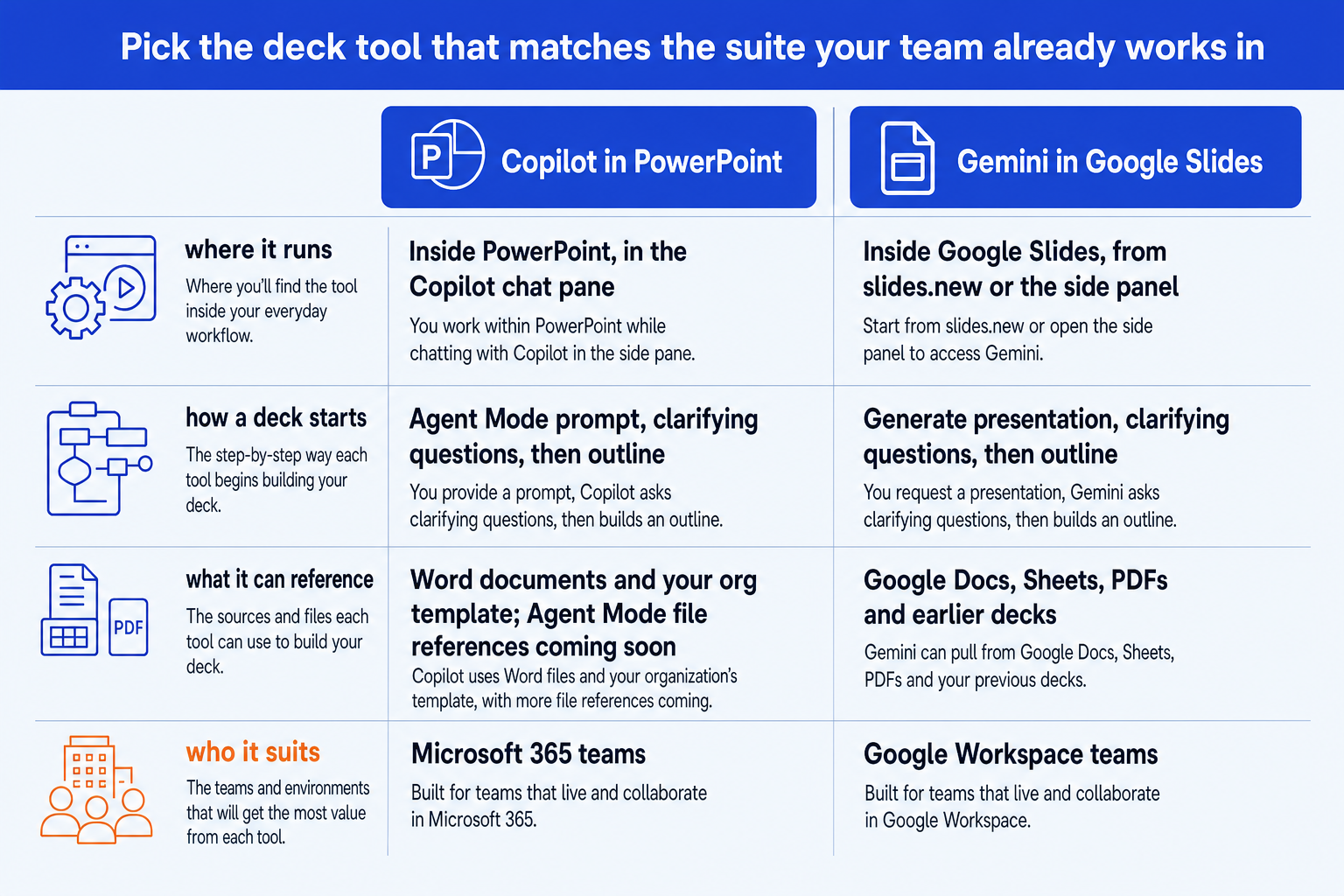
| Decision rule | Copilot | Gemini | Oria |
|---|---|---|---|
| Where it runs | Inside PowerPoint, in the Copilot chat pane, and in Microsoft Copilot on the web | Inside Google Slides, from slides.new or the side panel | PowerPoint add-in task pane, and a connector for Claude and ChatGPT |
| How a deck starts | Agent Mode prompt, optional clarifying questions, outline, then slides | Generate presentation, clarifying questions, outline approval, then slides | A prompt in the task pane or in the chat you already use |
| What it can reference | Word documents (under 24 MB works best); file references in Agent Mode are coming soon | Google Docs, Sheets, PDFs and earlier decks, plus Drive suggestions | Your inputs and your uploaded corporate template |
| Template and style | Start from your organisation template and Copilot keeps its layouts and theme | Point it at an existing deck to match the style | Holds a corporate template across slides |
| Access | Needs Copilot to be included in your Microsoft 365 subscription and enabled | Business Standard or Plus, Enterprise Standard or Plus, or Google AI Pro or Ultra | Professional, Team and Enterprise plans |
| Best fit | Microsoft 365 teams | Google Workspace teams | Dense, brand-controlled corporate decks |
Is Copilot good for PowerPoint presentations?
Copilot is a sound choice when PowerPoint is where your deck lives. Microsoft's support page describes starting a new presentation, opening the Copilot icon, choosing Agent Mode and typing a prompt. Copilot may then ask about audience and style, and you can answer or let it decide. You refine the outline in chat, tell Copilot to generate the slides, and keep chatting to edit them.
It also has a web route. Signed in to Microsoft Copilot with a work or school account, you ask for a presentation, confirm "Create a presentation", and Copilot generates it on your OneDrive with a link to open it. For templates, Microsoft says to start from your organisation's standard file so Copilot uses its existing layouts and keeps its theme and design.
The documented limits are specific. Documents smaller than 24 MB work best when you create from a Word file. A prompt supports one output language at a time. Microsoft also states: "Support for referencing files is coming soon to Agent Mode." For how Copilot output holds up against a brand master, see our guide to converting Copilot slides into brand decks.
The trade-off: Copilot depends on your Microsoft 365 licence and tenant settings, and its file referencing in Agent Mode is not yet available, so a deck grounded in several source files still needs manual assembly.
Is Gemini good for Google Slides presentations?
Gemini is a strong choice when Google Workspace is where your team writes and shares. Google's Workspace blog, published July 22, 2026, says you choose "Generate presentation" from slides.new, or open Gemini in the side panel of a blank presentation. You can add Google Docs, Sheets, PDFs or earlier decks as references, and Gemini suggests other relevant Drive files.
Gemini asks about length, tone and focus, then turns your inputs into an outline you approve before any slide is built. Google says every generated slide is editable, and you can ask Gemini to change layouts, colour schemes or charts, or rewrite text on specific slides. To match your brand, you select an existing deck as the style reference.
Access is plan-gated. Google lists Workspace Business Standard, Business Plus, Enterprise Standard or Enterprise Plus, or a Google AI Pro or AI Ultra subscription. The post also states that "All features will launch initially in English only." For a wider look at AI tools that work in more than one editor, see the best AI for PowerPoint.
The trade-off: Gemini matches a style from a deck you point it at, which is not the same as enforcing a locked corporate master, and the launch is English only, so multilingual teams should check before committing.
Where does Oria fit next to Copilot and Gemini?
Oria is AI for complex professional slides. It reaches users two ways: as an add-in in the PowerPoint task pane on Windows, macOS and PowerPoint for the web, and as a connector for Claude and ChatGPT, so a deck can be built from the chat you are already in. Output is native, editable PowerPoint that keeps your corporate template. It is built for board packs, steering committee decks, diligence exhibits and operating-model slides.
On privacy, Oria does not train on customer content, and Professional and Team plans do not persist presentation content after delivery. Enterprise adds private cloud deployment and custom LLM integration. Oria can sit alongside either suite rather than replace it. For the Claude side of that choice, read Claude vs Copilot for business presentations.
The trade-off: Oria is built for the corporate environment only, so it loses on highly visual work such as founder pitch decks, launch decks and student presentations. A design-led tool will look better there. See Canva vs PowerPoint for client-facing work for that call.
Which should you use for your situation?
The verdict again: Copilot for Microsoft 365 teams, Gemini for Google Workspace teams. If your situation is different, route as follows.
Frequently asked questions
Is Copilot or Gemini better for presentations?
Neither wins outright. Copilot is the better pick for a team that works in Microsoft 365 and PowerPoint, and Gemini is the better pick for a team that works in Google Workspace and Slides. Both ask clarifying questions and show an outline before building slides, so the deciding factor is which suite already holds your files, template and reviewers.
Can Gemini create a full presentation in Google Slides?
Yes. Google's July 22, 2026 Workspace post says Gemini in Google Slides creates designed presentations from a description and reference files, and every generated slide stays editable. It needs Business Standard, Business Plus, Enterprise Standard or Enterprise Plus, or a Google AI Pro or AI Ultra subscription.
Can Copilot create a PowerPoint presentation from a prompt?
Yes. Microsoft's support page describes starting a new presentation, opening Copilot, choosing Agent Mode, typing a prompt, answering optional clarifying questions, refining the outline and then asking Copilot to generate the slides. Whether Copilot appears depends on your Microsoft 365 subscription and your organisation's settings.
Does Copilot or Gemini keep my company template?
Microsoft says that if you start from your organisation's standard template, Copilot uses its existing layouts and keeps its theme and design. Google says you can select an existing deck so Gemini matches your brand's style. Both are reasonable for light template work. A strict, enforced corporate master is a different job.
Do Copilot and Gemini work in languages other than English?
Microsoft says a Copilot prompt supports only one output language at a time. Google says all Gemini in Slides deck features launch initially in English only. Check both vendors' current pages if your team works in another language.
Which is better for consulting or board decks?
Both are general business tools. A board pack with dense frameworks, fixed fonts and a locked template usually needs a specialist layer. Oria is built for that work and runs as a PowerPoint add-in and as a connector for Claude and ChatGPT. See our guide to the best AI for PowerPoint for the wider field.